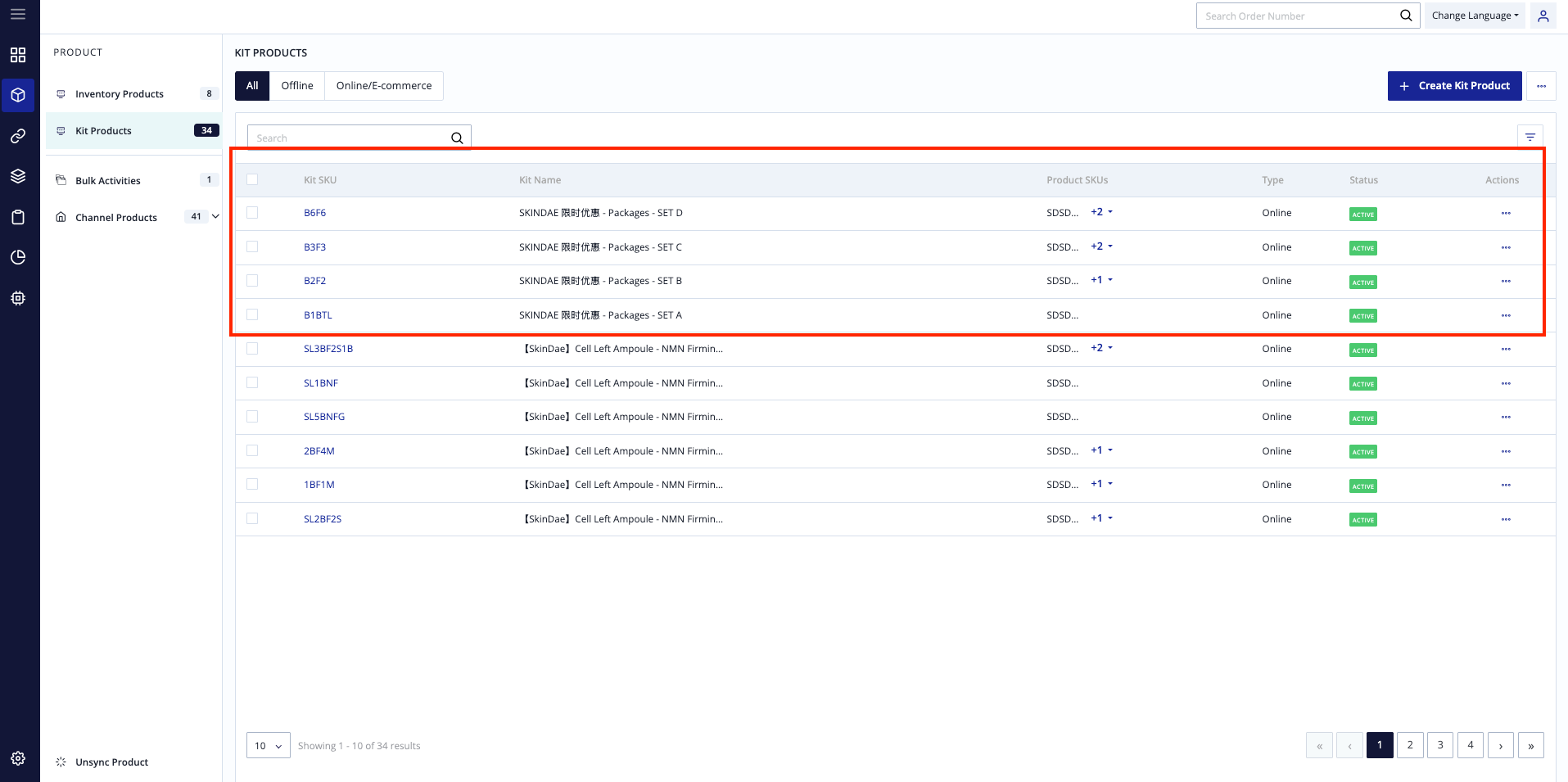
Before Configuring — Checklist ✅ Ensure all items are ticked before proceeding with store configuration in OXM.
Checklist ✅
Shopify Store Setup
- Website is ready to be used
Shopify Plan is Active (Grow Plan or higher)
Product & SKU Management 3. Package SKU is defined and standardized
Master SKU List is finalized
SKU Naming Format is clean and consistent
Variants are correctly set up in Shopify
Payment & Order Settings
Payment capture settings are enabled
Shipping & Fulfillment
Created Shipping methods in Shopify
Step 1
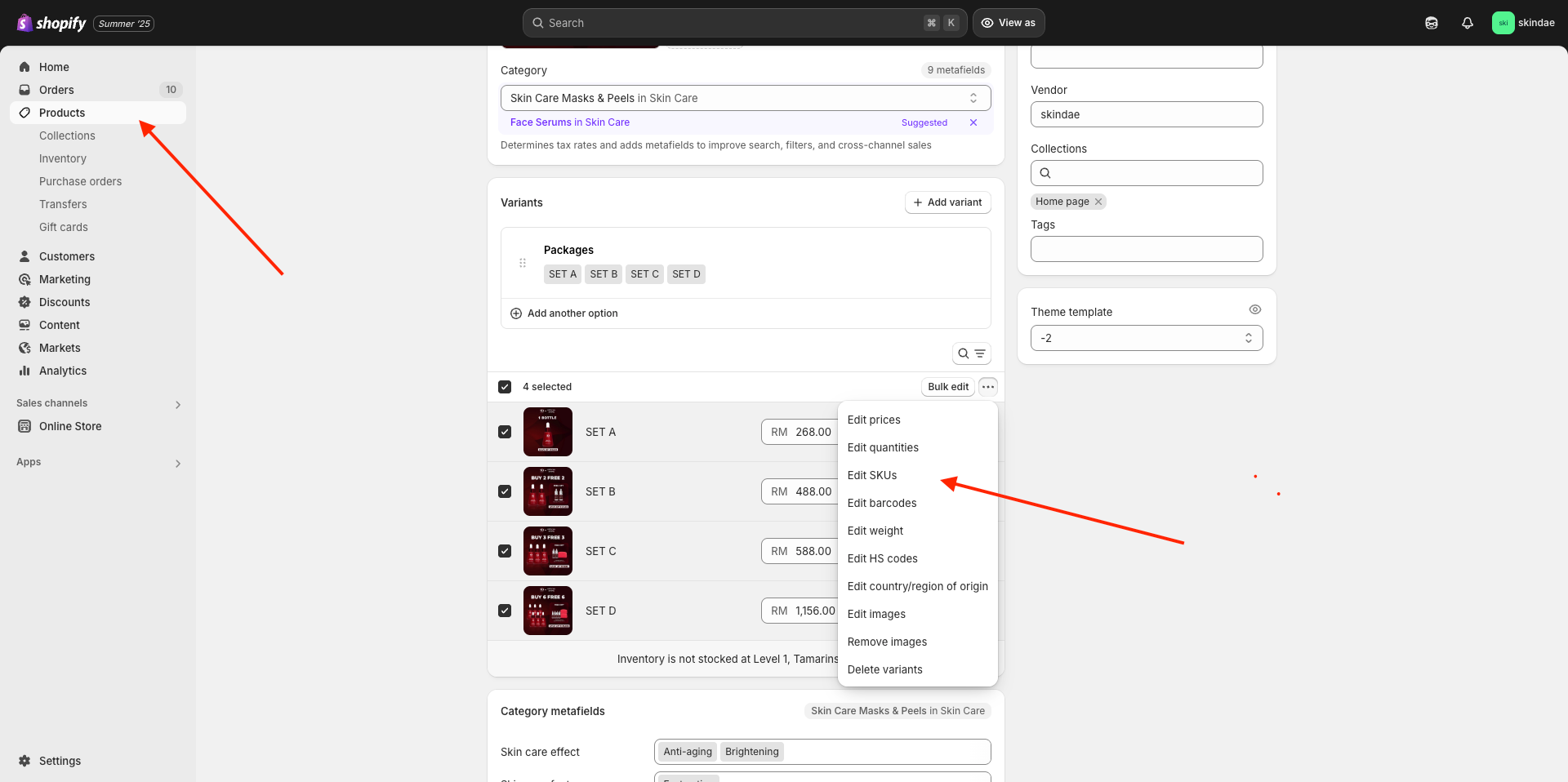
Login into Shopify
Under [Product]
Select all products, click Edit SKUs
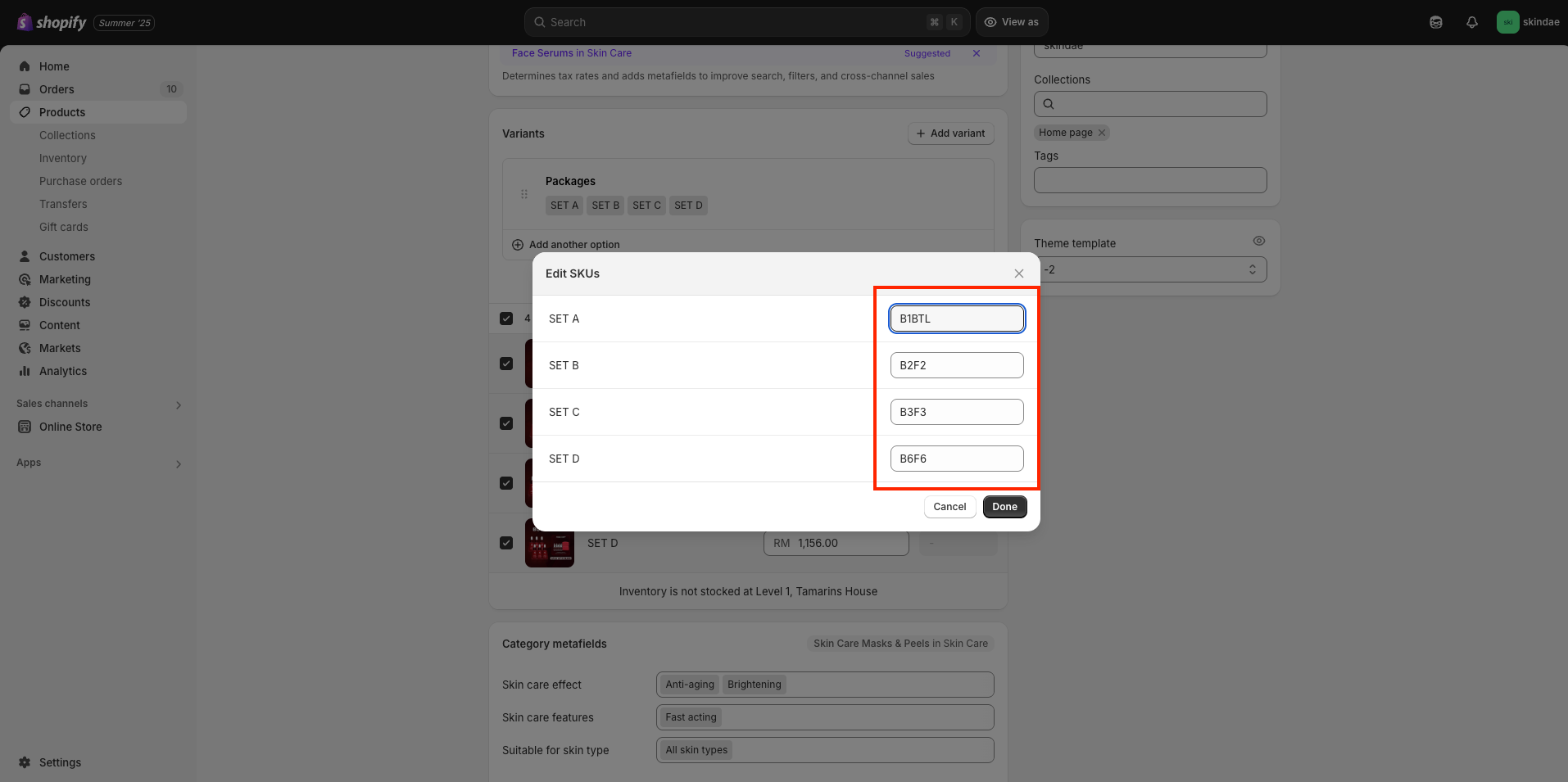
Step 2
Please fill up the KIT SKu for the variation, then click save.
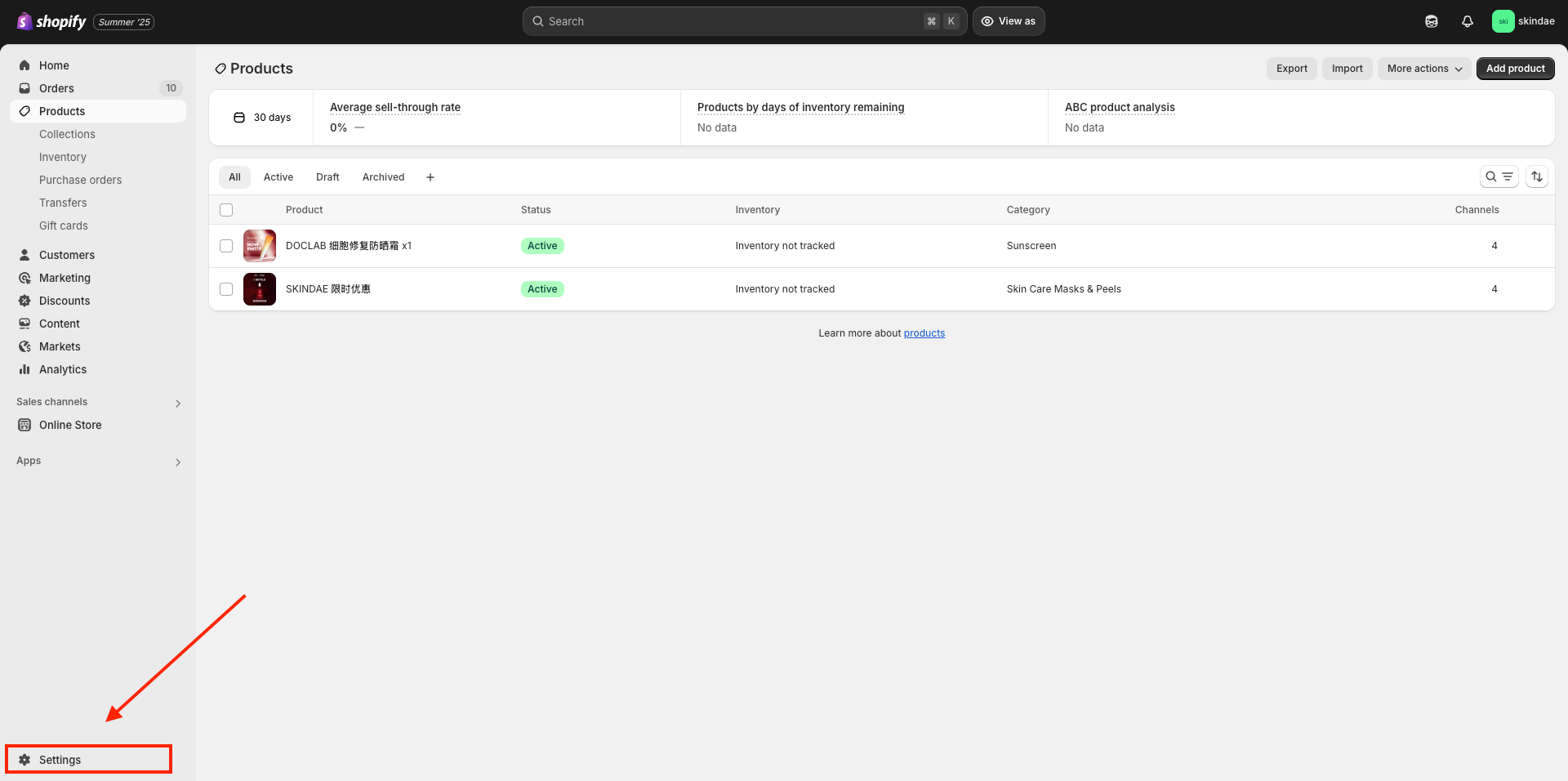
Step 3
Click [Setting] on the left bottom side.
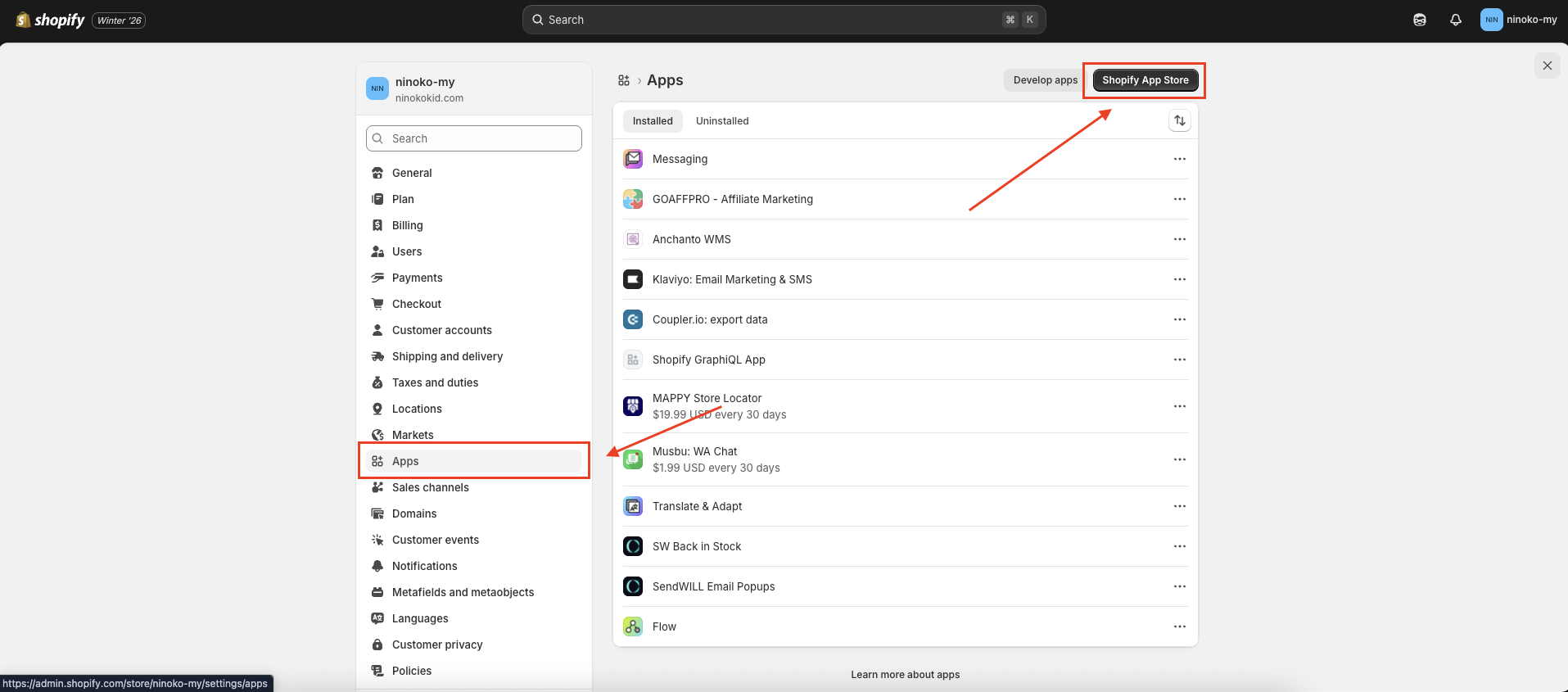
Step 4
Click [App] , then Clik [Shopify App Store].
Step 5
Search [Anchanto WMS], then select Anchanto WMS.
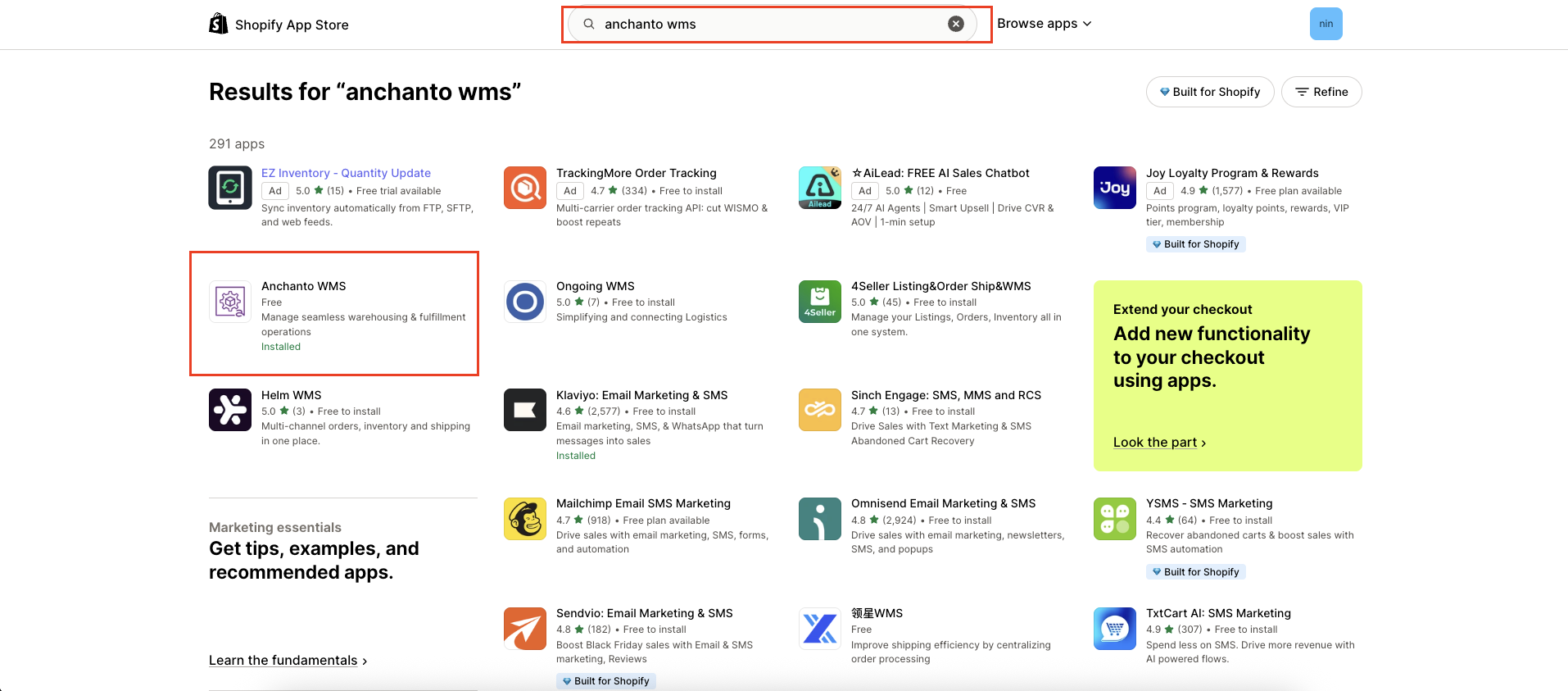
Step 6
Then click [Install].
Remarks: Only store owner can install the app. Please login with owner access account.
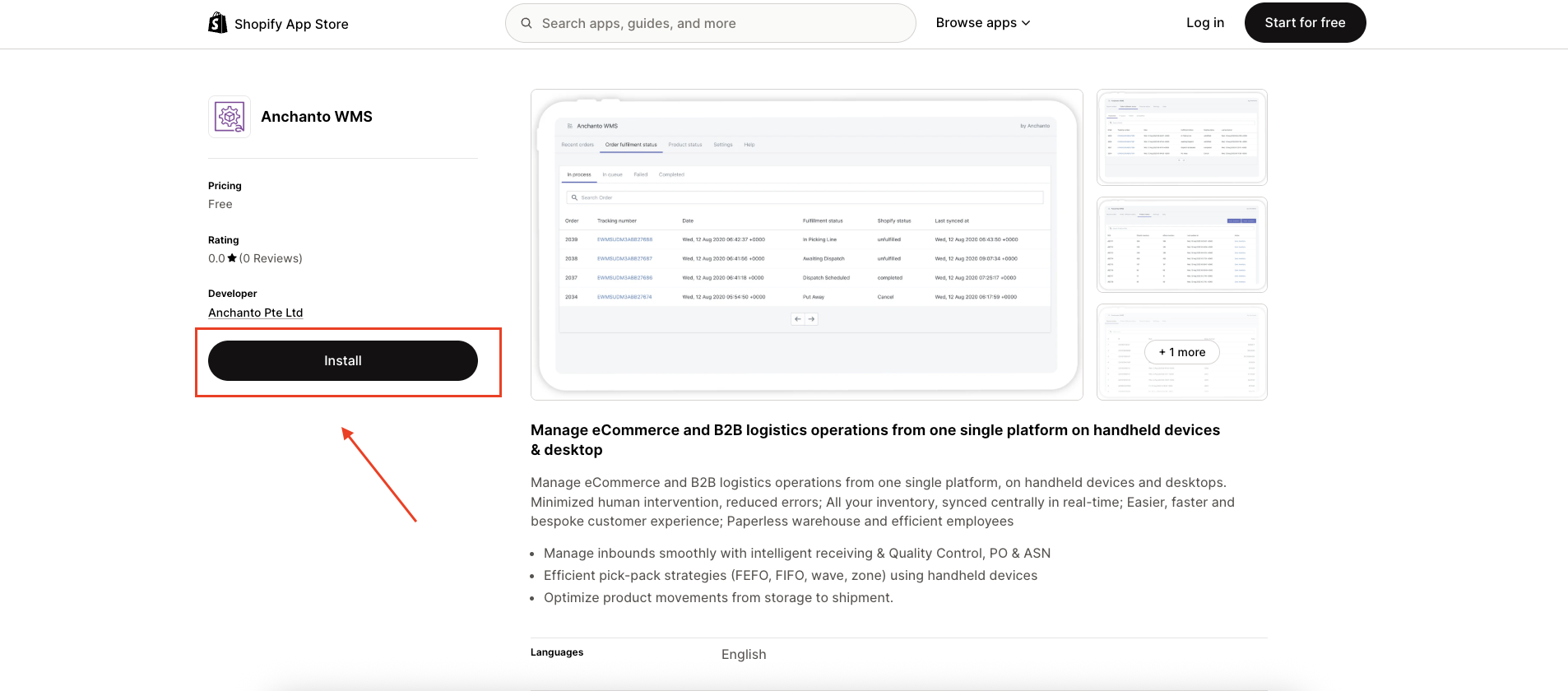
Step 7
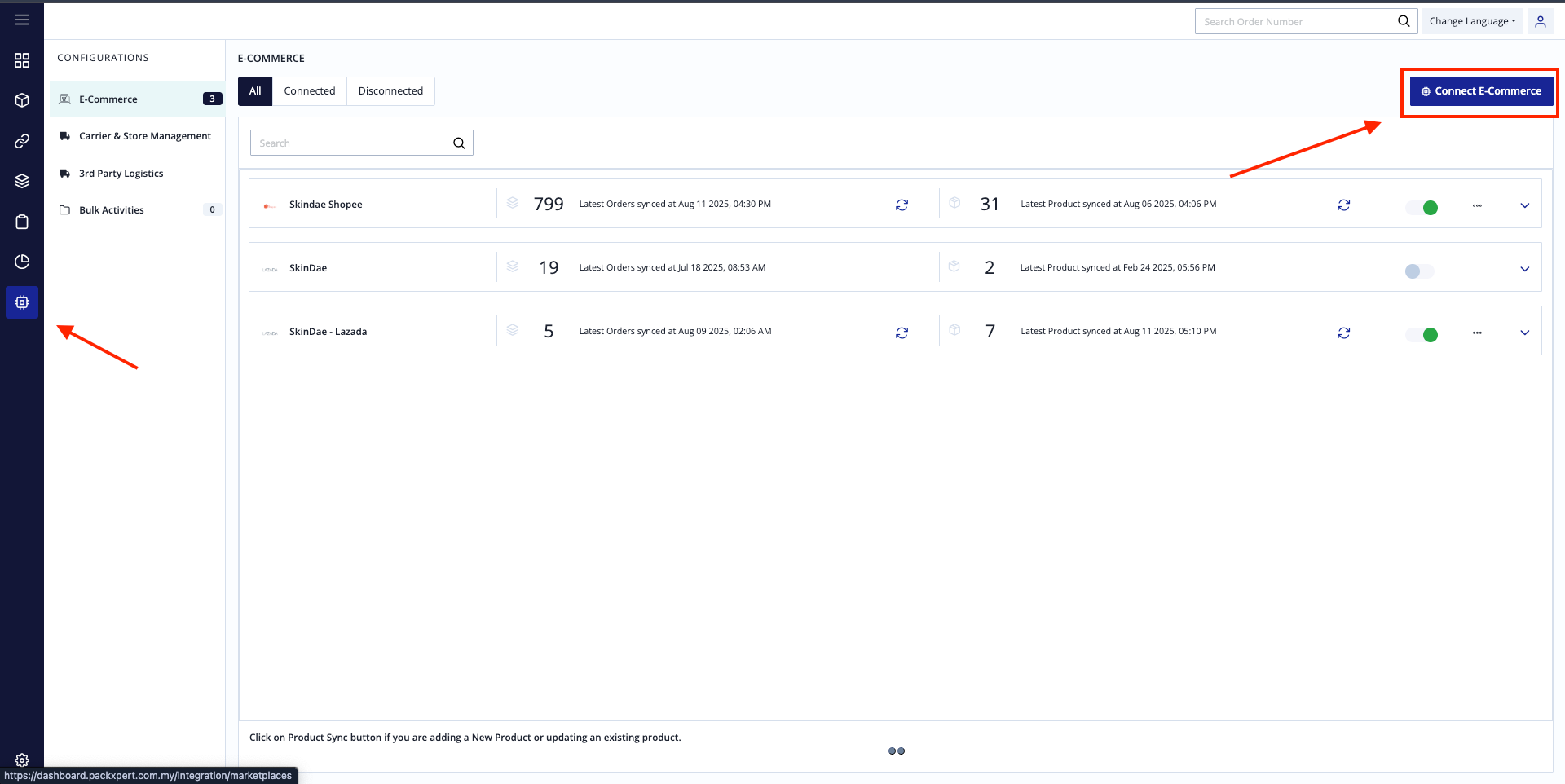
Login to OXM, under configurations Tab, select [Connect E-commerce].
Step 8
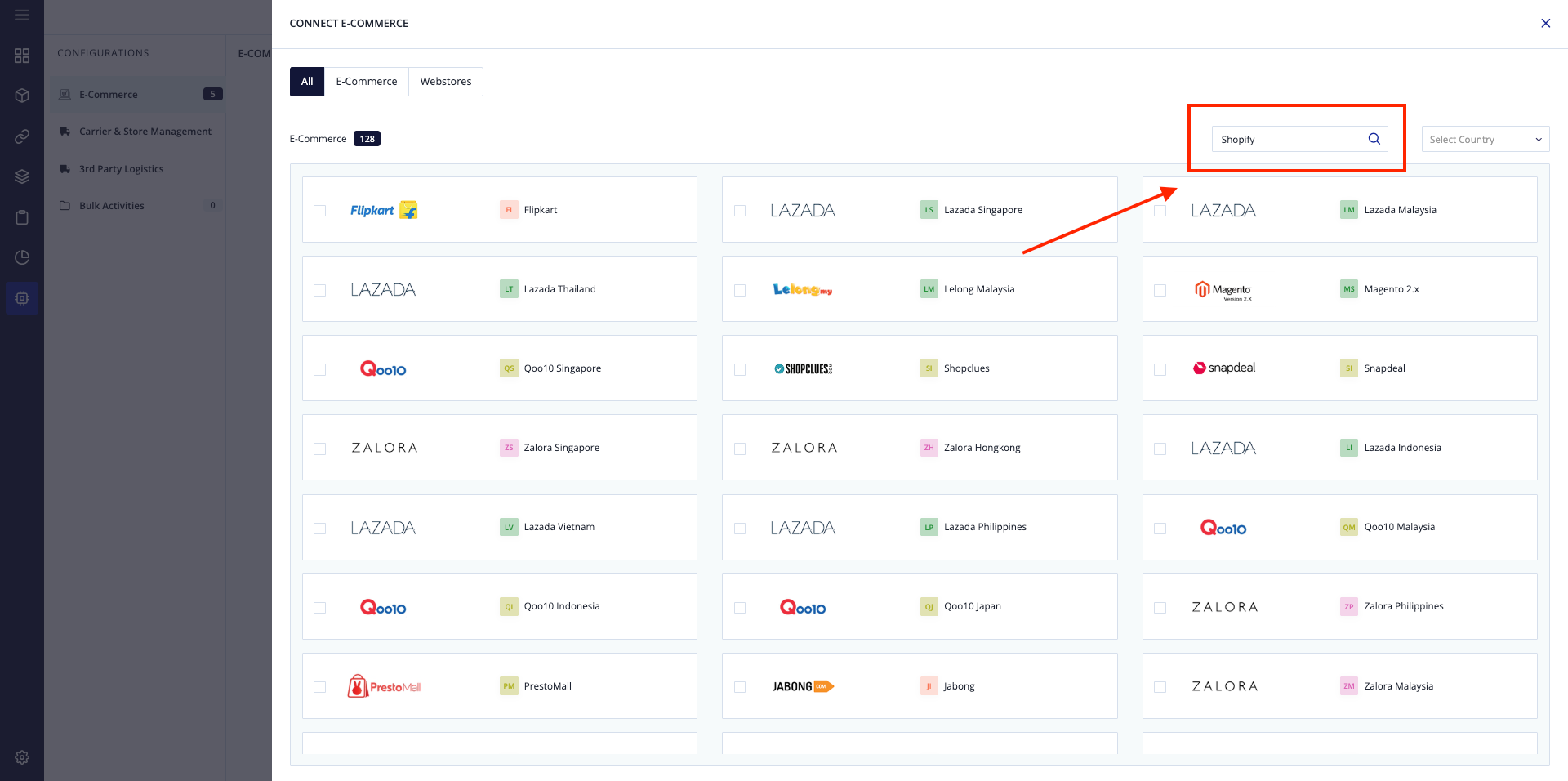
Search your webstores (Shopify).
Step 9
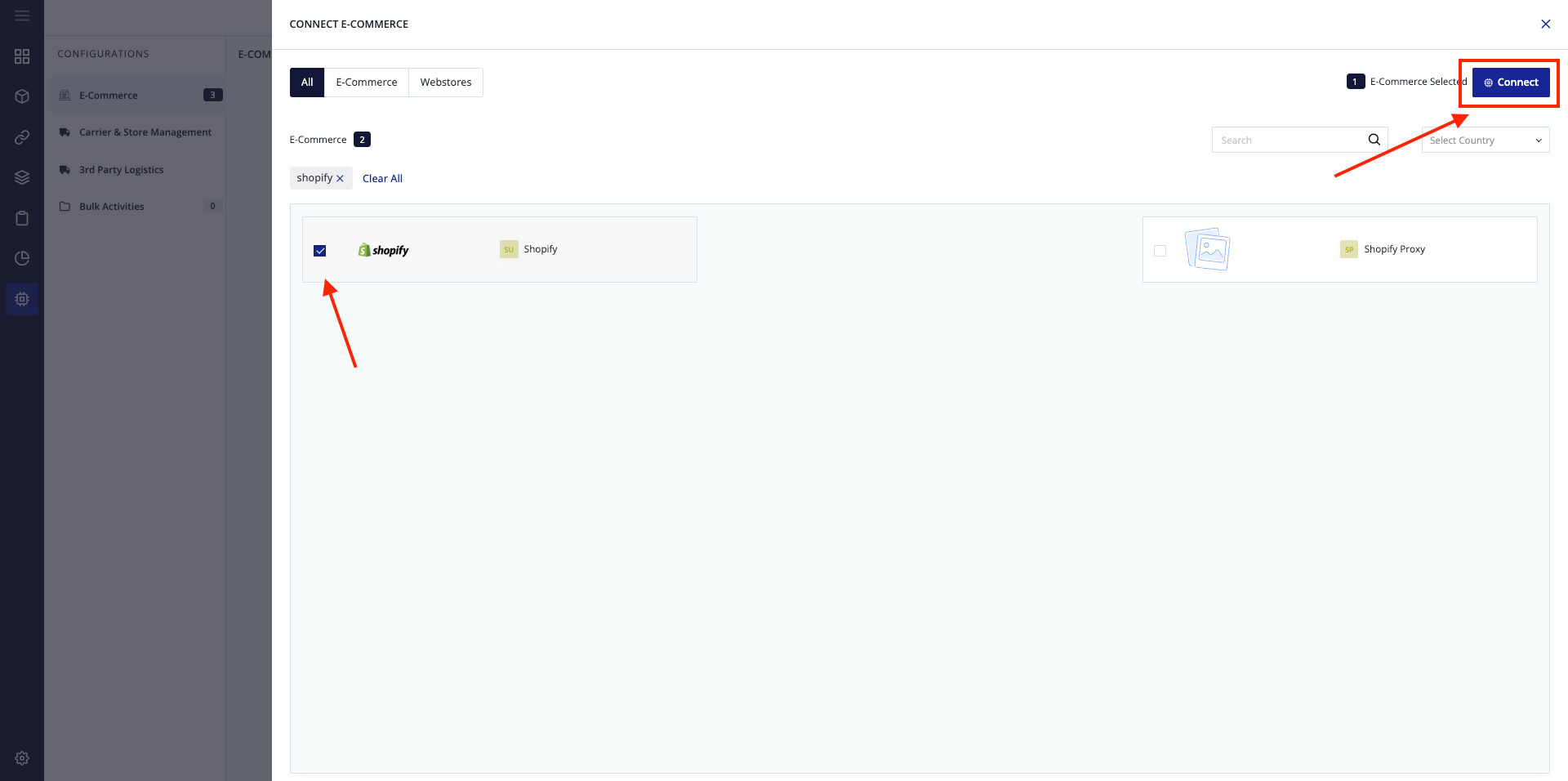
Select Shopify and click [Connect].
Step 10
Store Name : Brands + Shopify. (Exp : Ninoko Shopify)
Warehouse : Select [PACKXPERT SDN BHD]
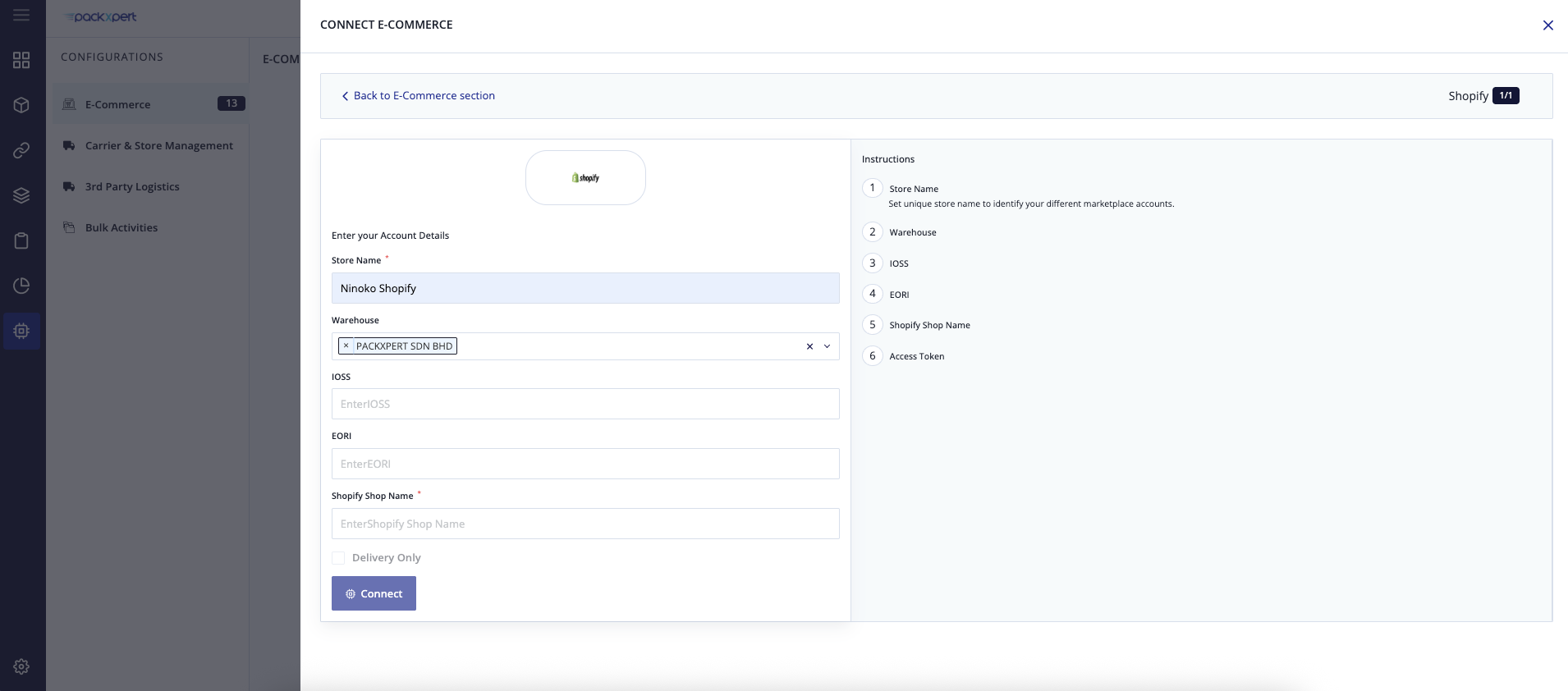
Step 11
Back to Shopify, click [Domain].
Copy the domain before .myshopify.com
If you domain is examplestore.myshopify.com, then you just copy [examplestore].
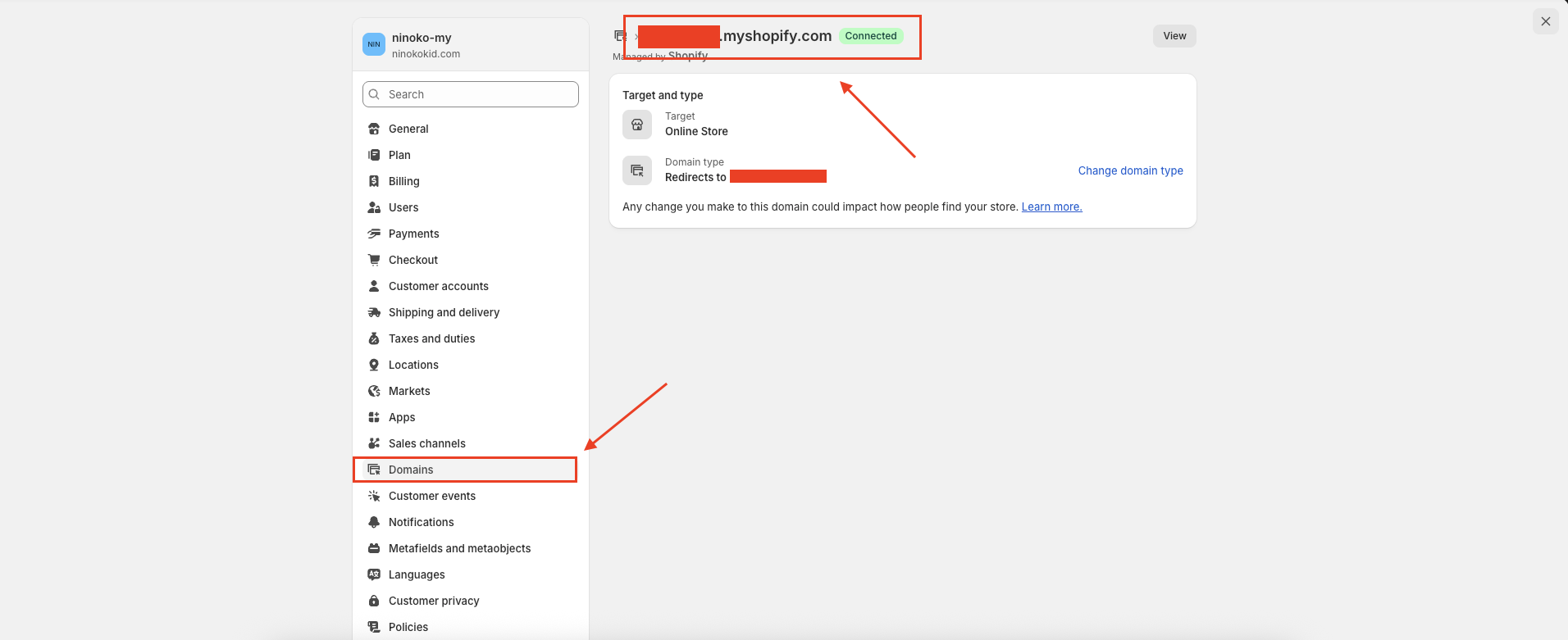
Step 12
Back to OXM, paste the domain you copied, then click [Generate API Token].
Then you will be able to connect to Shopify Store.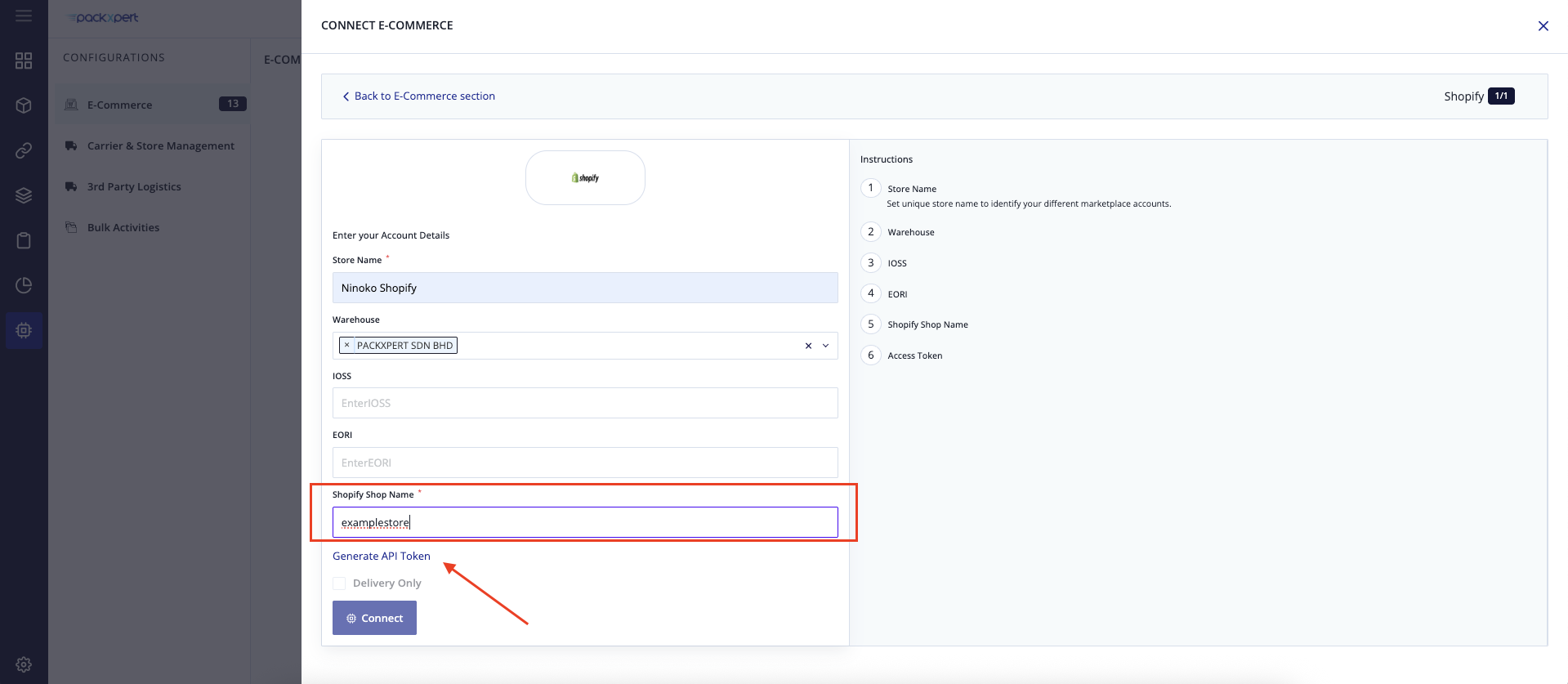
Step 13
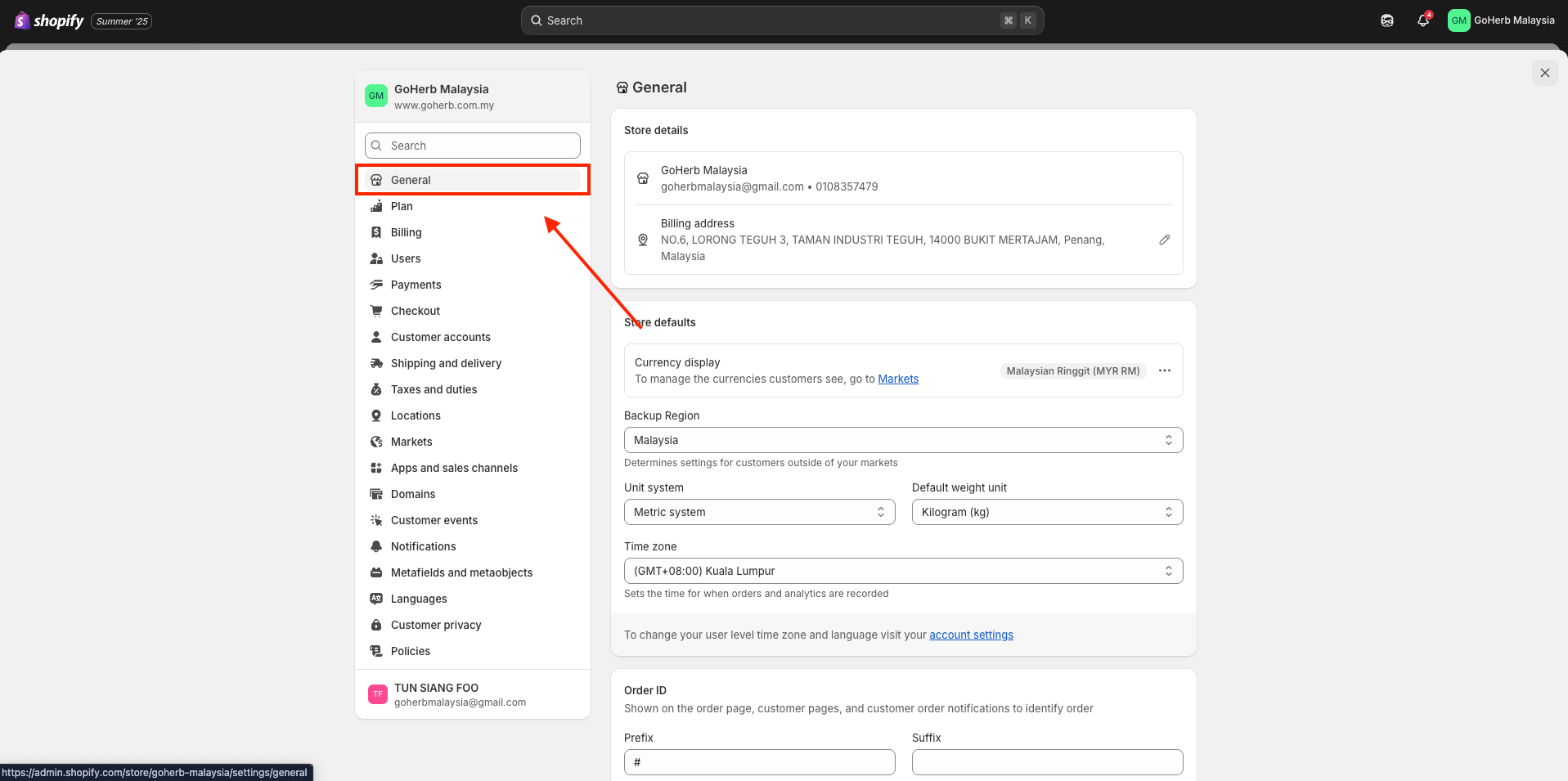
Back to [General].
Step 14
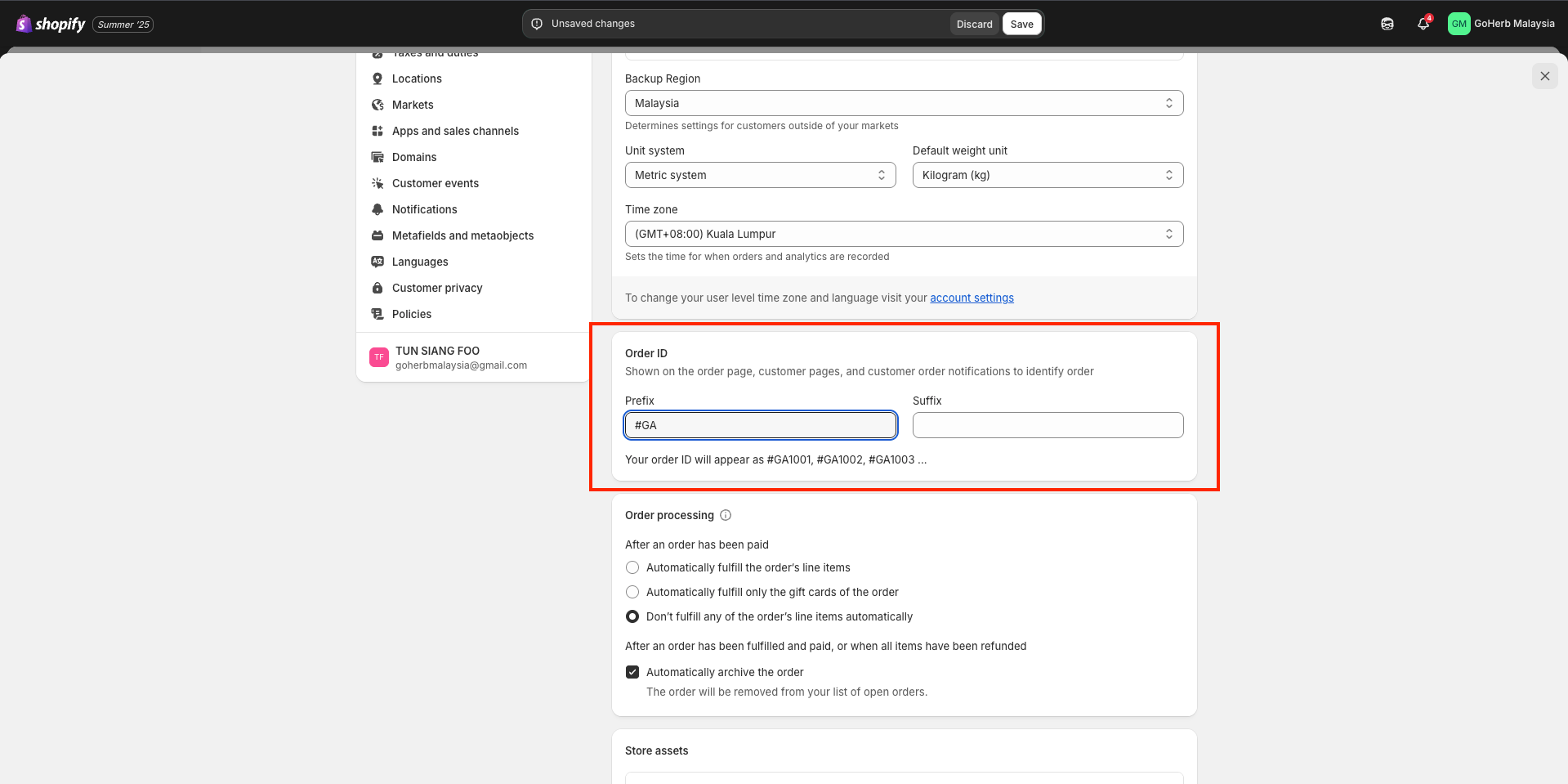
Setting the Order ID Prefix
To avoid duplicate Order IDs, you need to set a prefix based on the Databees Order ID or your own Order ID prefix.
Example:
Customer: iProcare
Databees Order ID: SO-IP25926
Prefix: #IP
Final Order ID format: #IP1002,#IP1003,……
Step 15
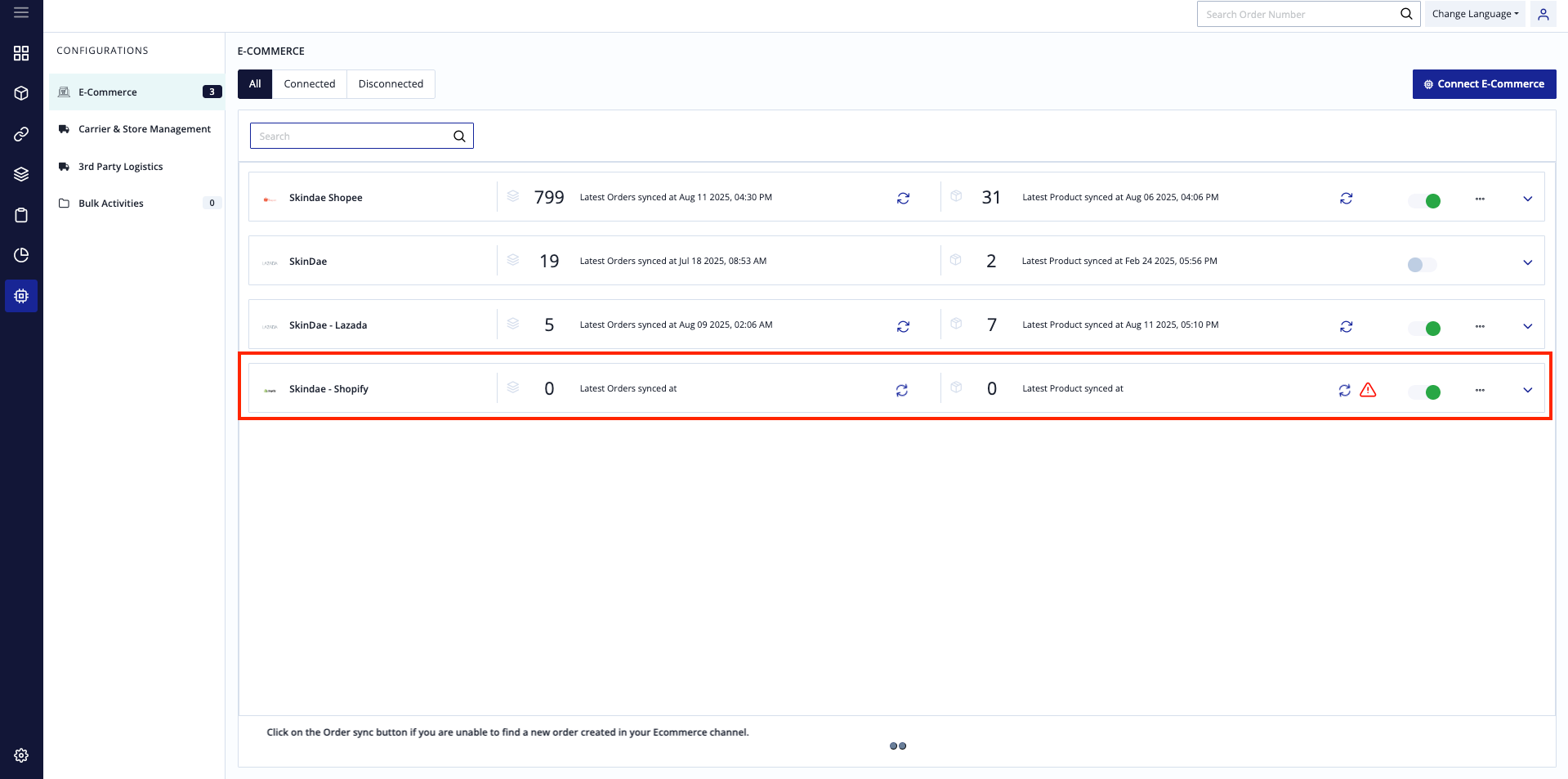
You can see Shopify E-Commerce. Please wait 1 - 3 hours for the first time configuration.
Step 16
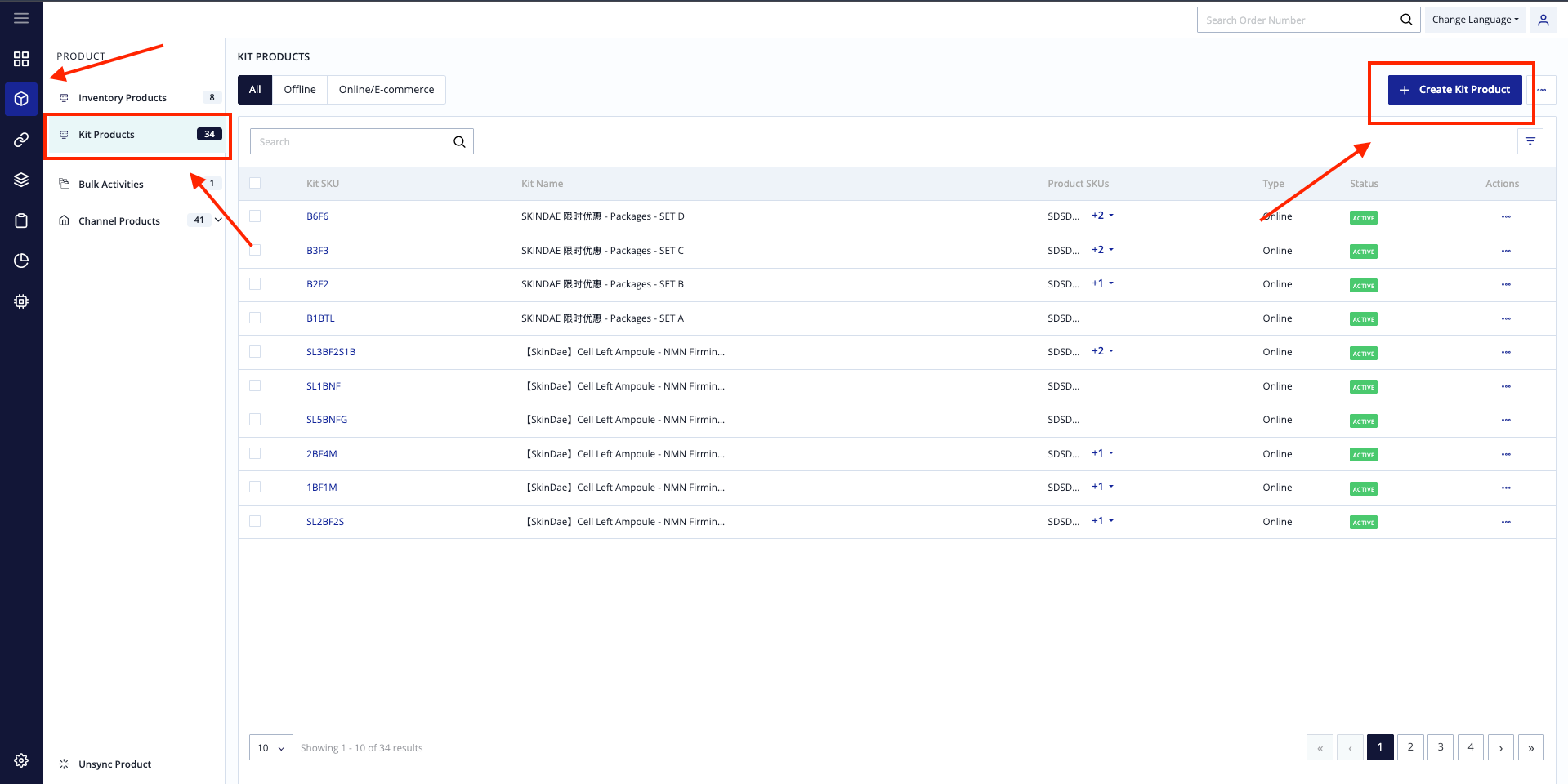
After done configuration, go to Product Tab, under Kit Product, [Create Kit Product].
Step 17
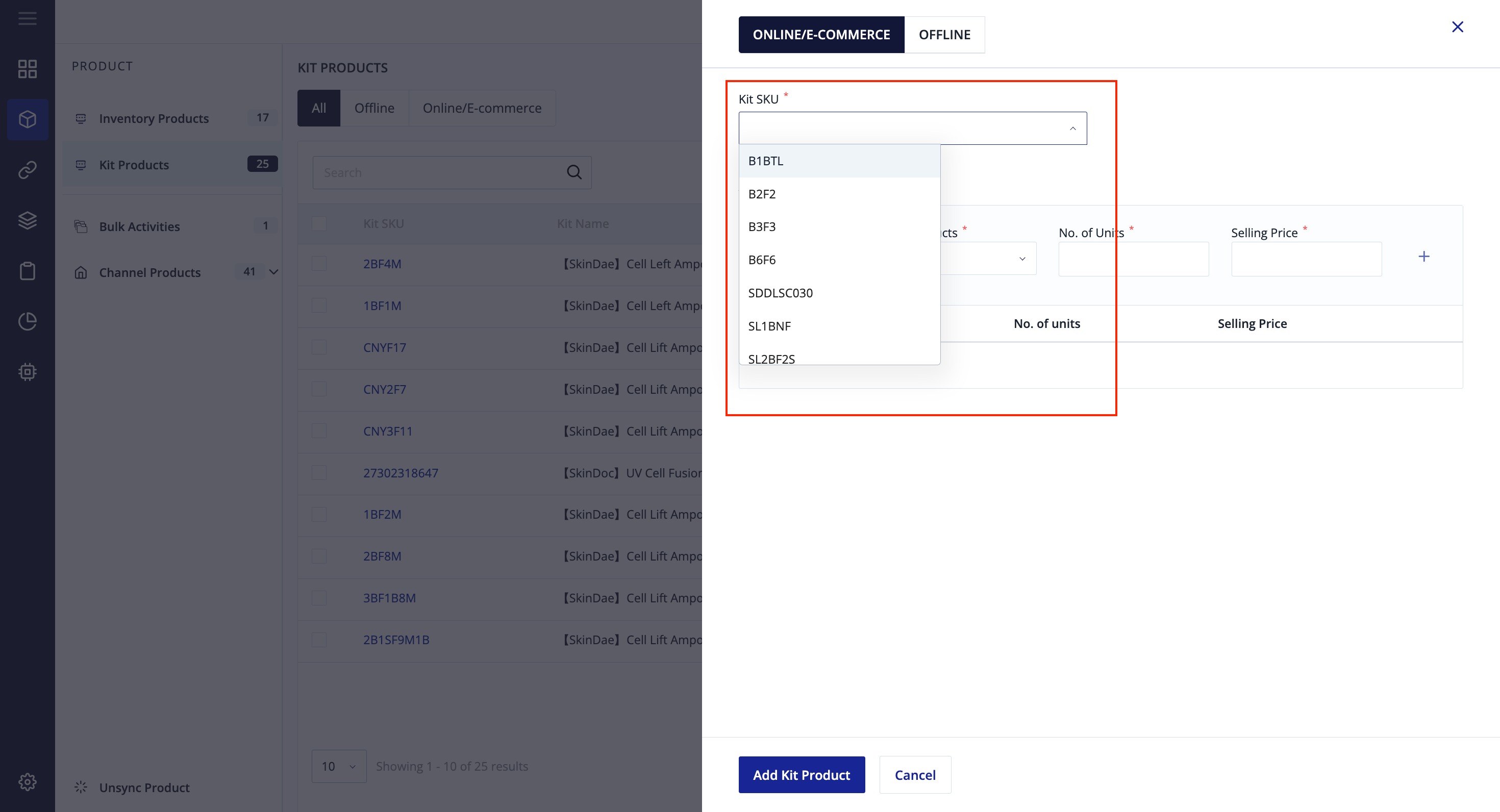
Now you may map your new kit product here.
Step 18
After done mapping, all done, waiting in order to flow into OXM.
Step 19
After done all the steps, please inform Packxpert PIC that you have done shopify configuration. Packxpert PIC needs to do some first carrier integration setup on the WMS backend. Thanks.