Step 1: Add SKU in Shopee Seller Centre
Login to Shopee Seller Centre.
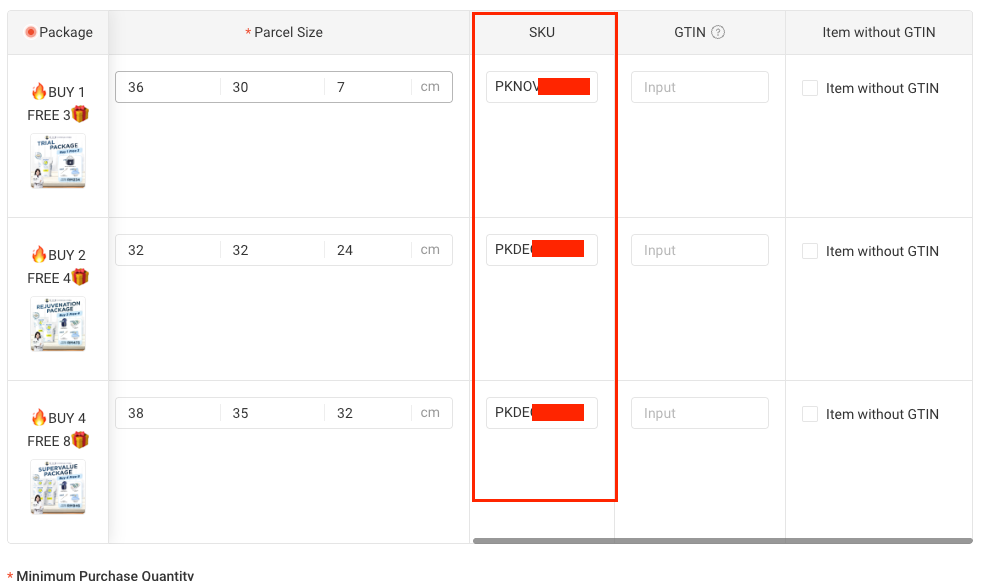
Go to: Product > My Products > Sales Information
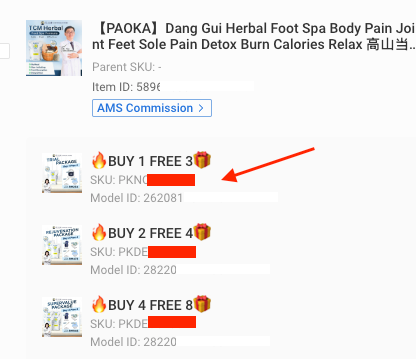
Add a SKU for every product variation.
SKU must be unique and cannot be duplicated.
Fill in the SKU for all variations only.
Parent SKU is not required — leave it empty.
Click Update after completing the SKU setup.
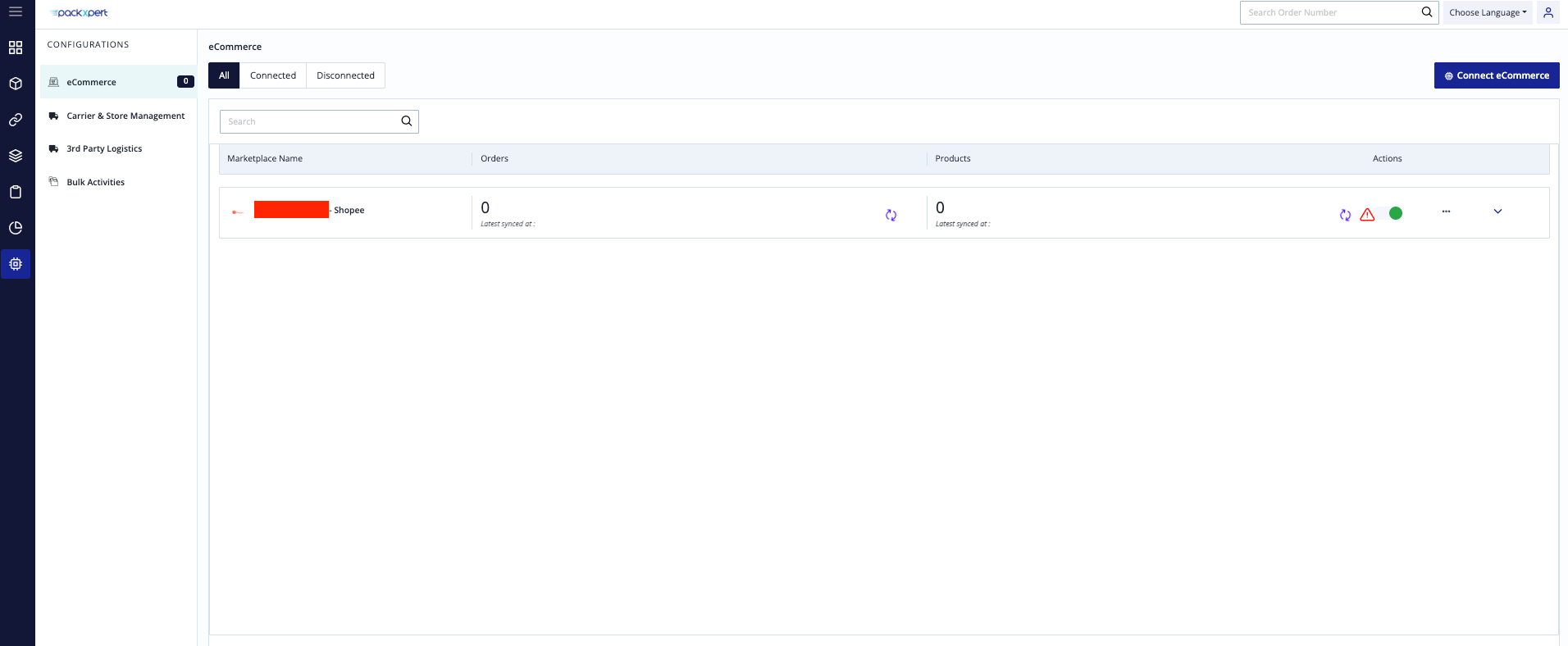
Step 2: Connect Shopee Store to OXM
Login to OXM.
Go to: Configurations > Connect eCommerce
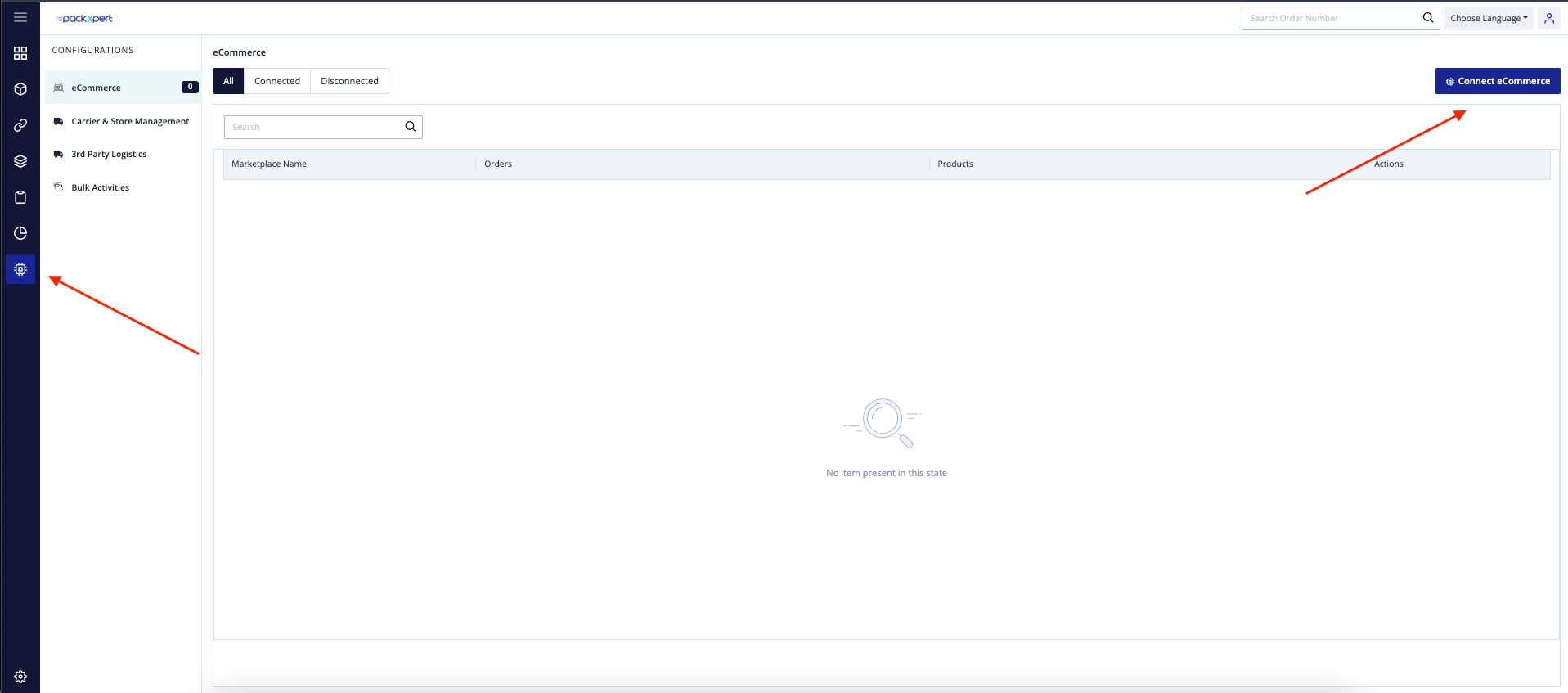
Search for Shopee.
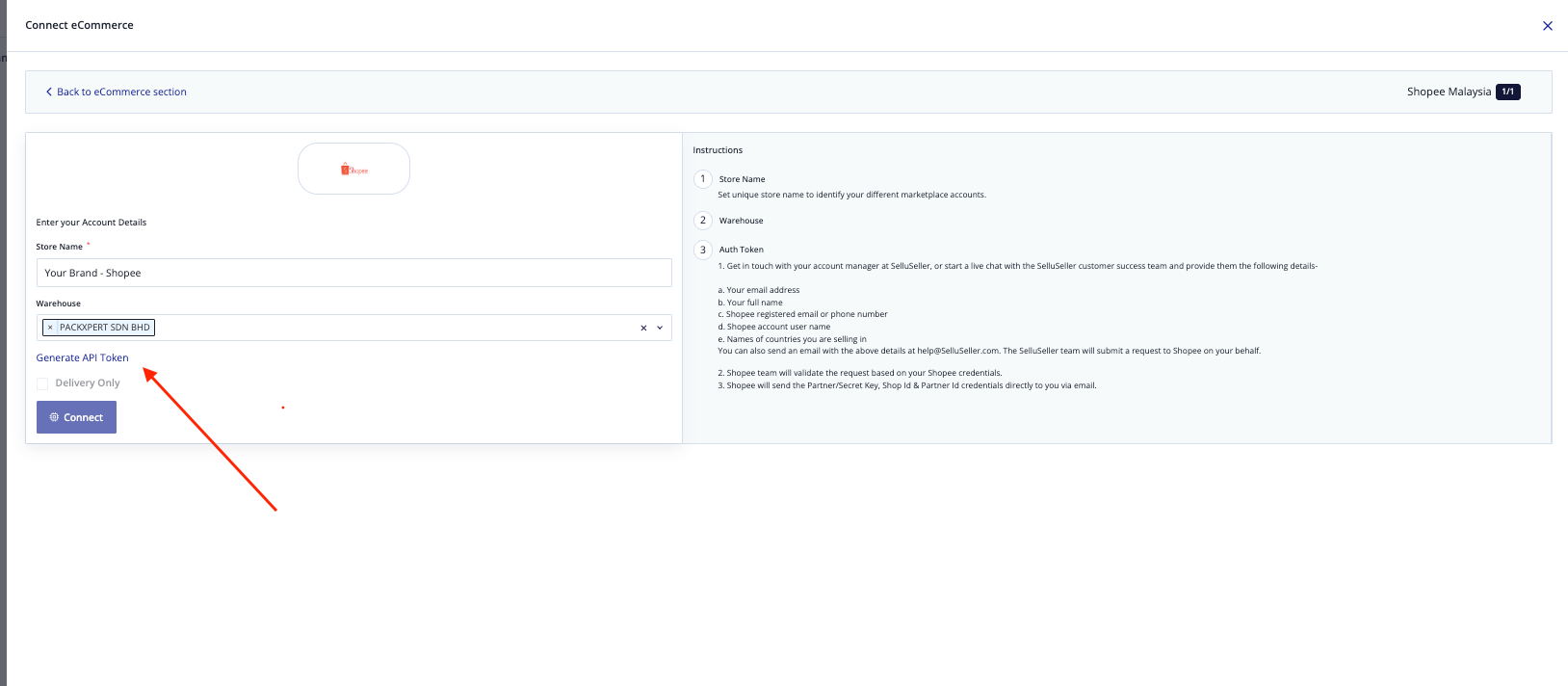
Select the country for the Shopee store you want to connect.
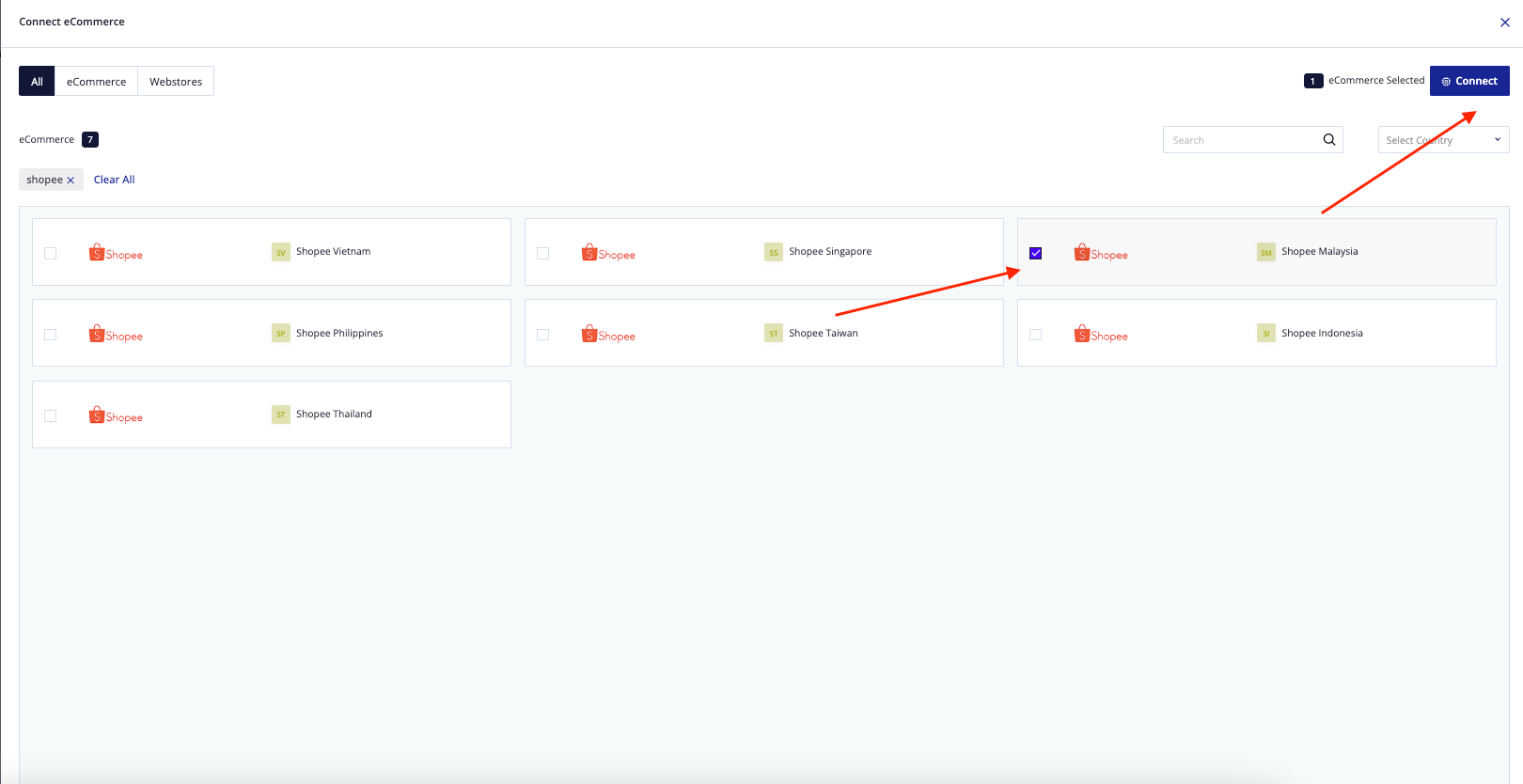
Shopee Store Name Format
Your Brand - ShopeeGoherb - ShopeeSelect the warehouse.
Click Generate API Token.
Step 3: Authorize Shopee Connection
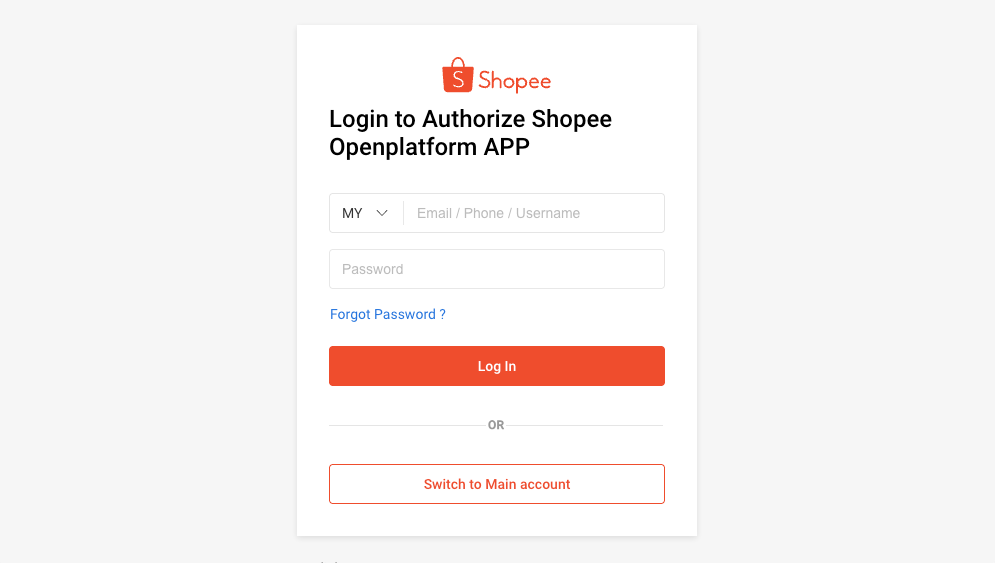
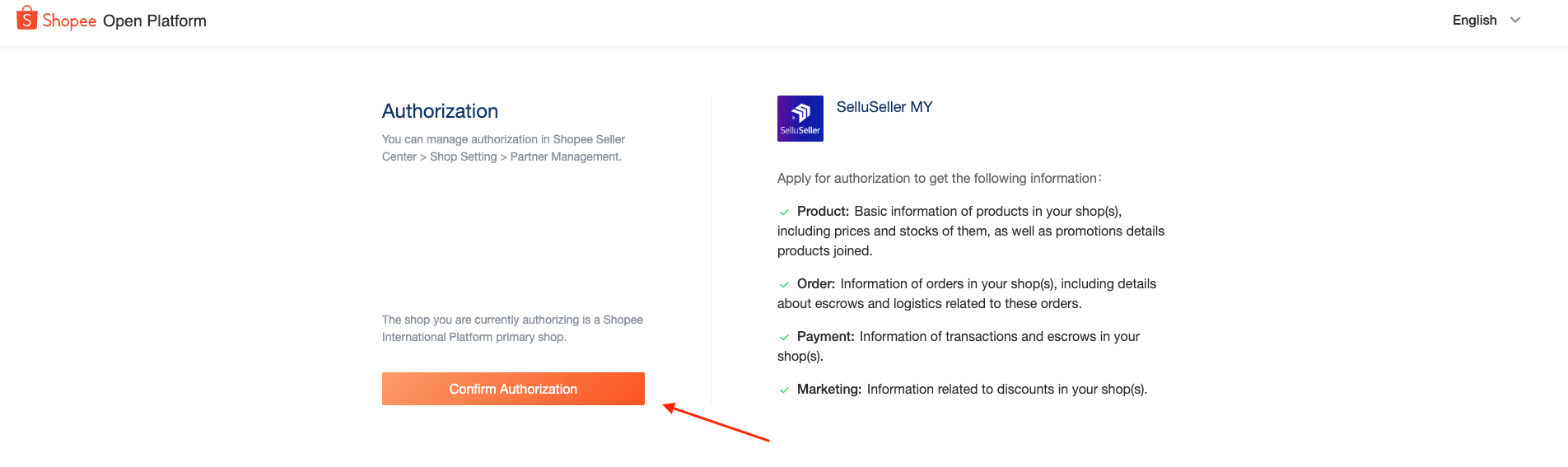
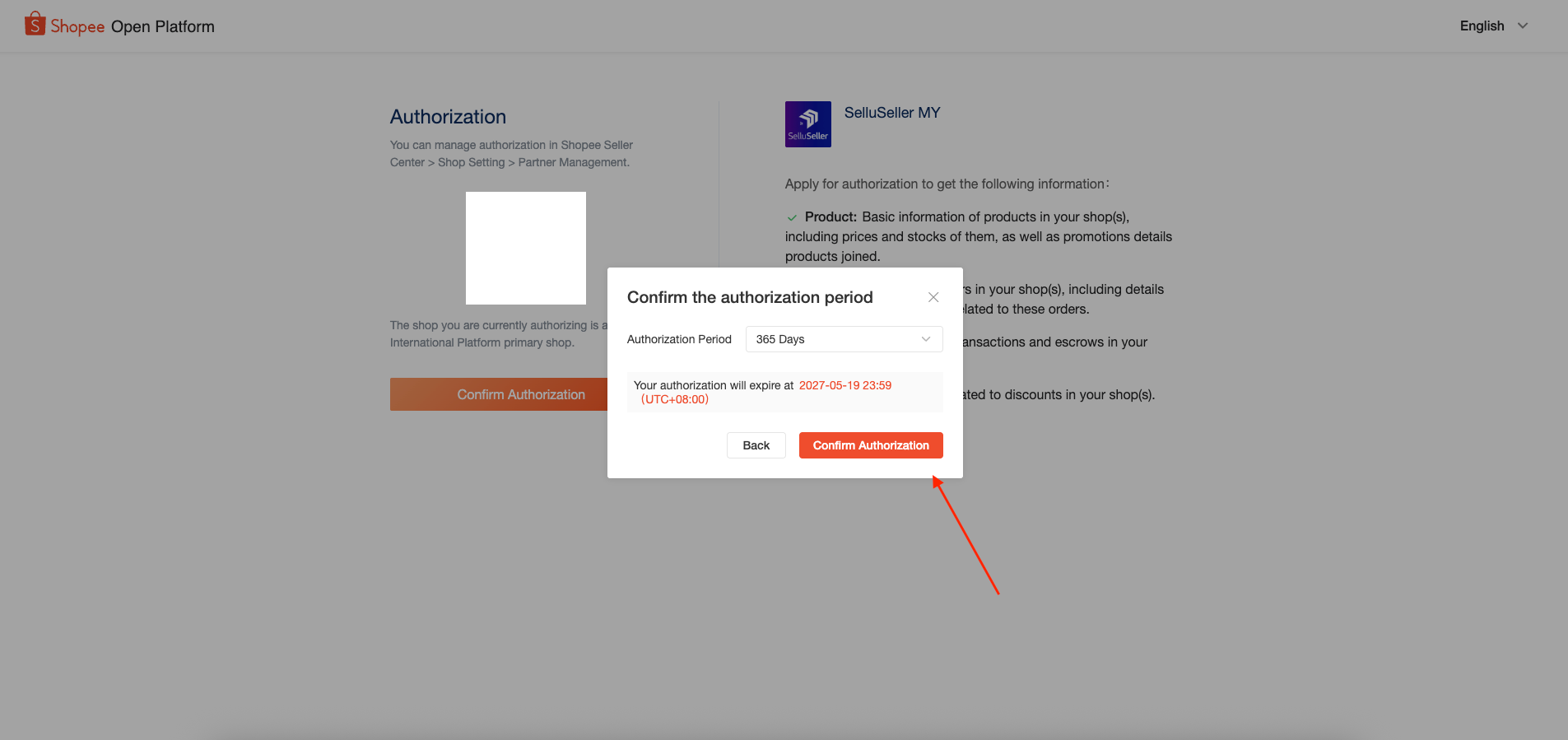
Login to your Shopee account as usual.
Step 4: Shopee Kit SKU Mapping
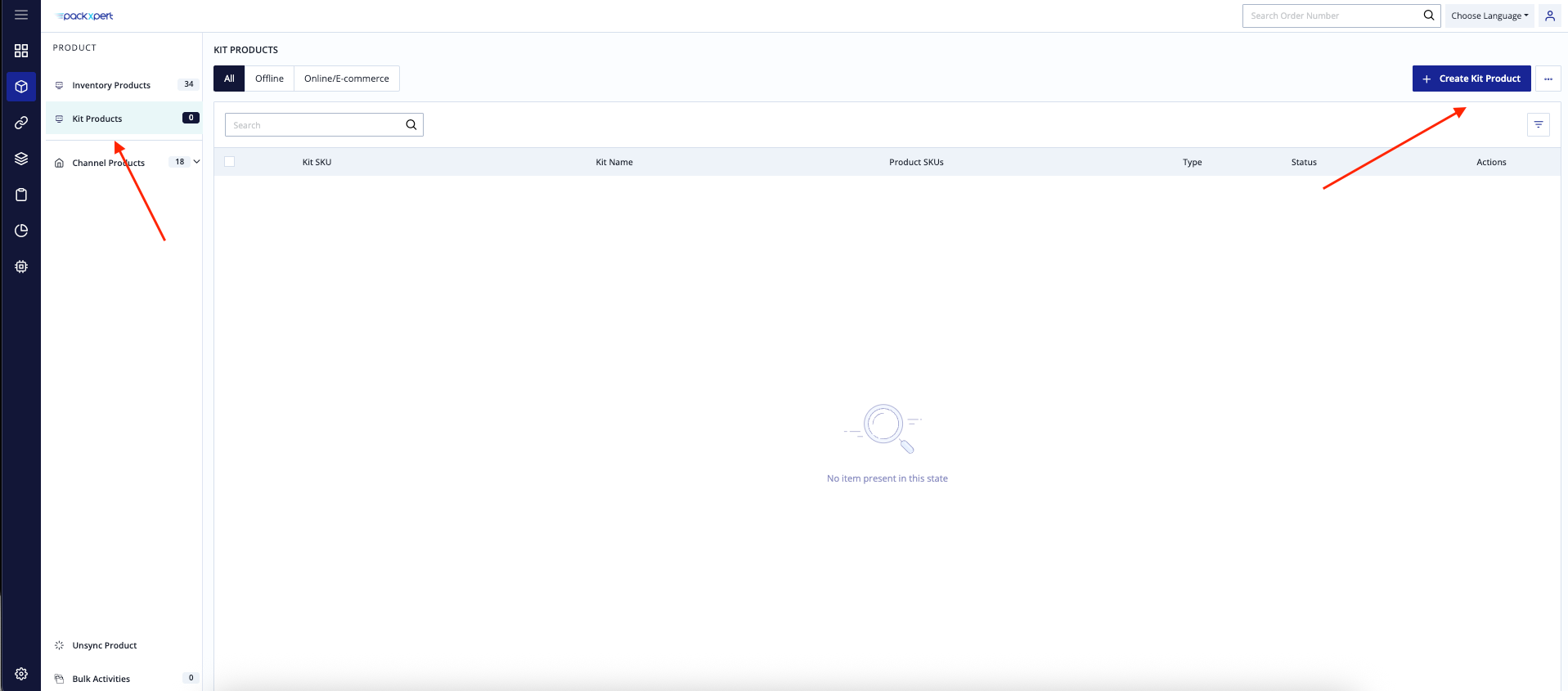
Go to: Product > Kit Products
Click + Create Kit Product
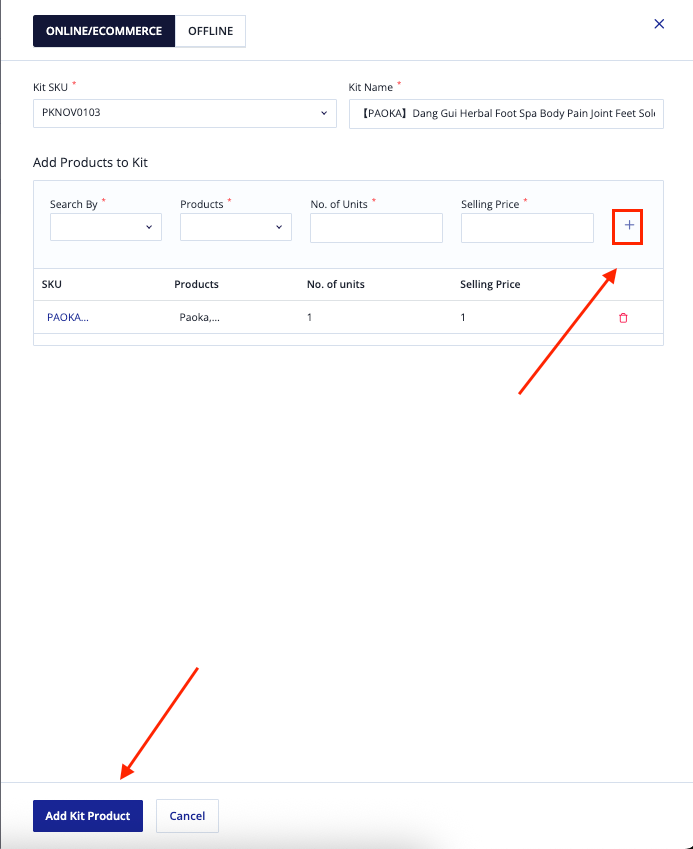
Under the Kit SKU column, search for the Kit SKU created in Shopee.
Add the related SKU(s) under the Kit SKU.
Click + to add the SKU.
You may add multiple SKUs under one Kit SKU if needed.
After completing the setup, click Add Kit Product.
Step 5: Sync Products
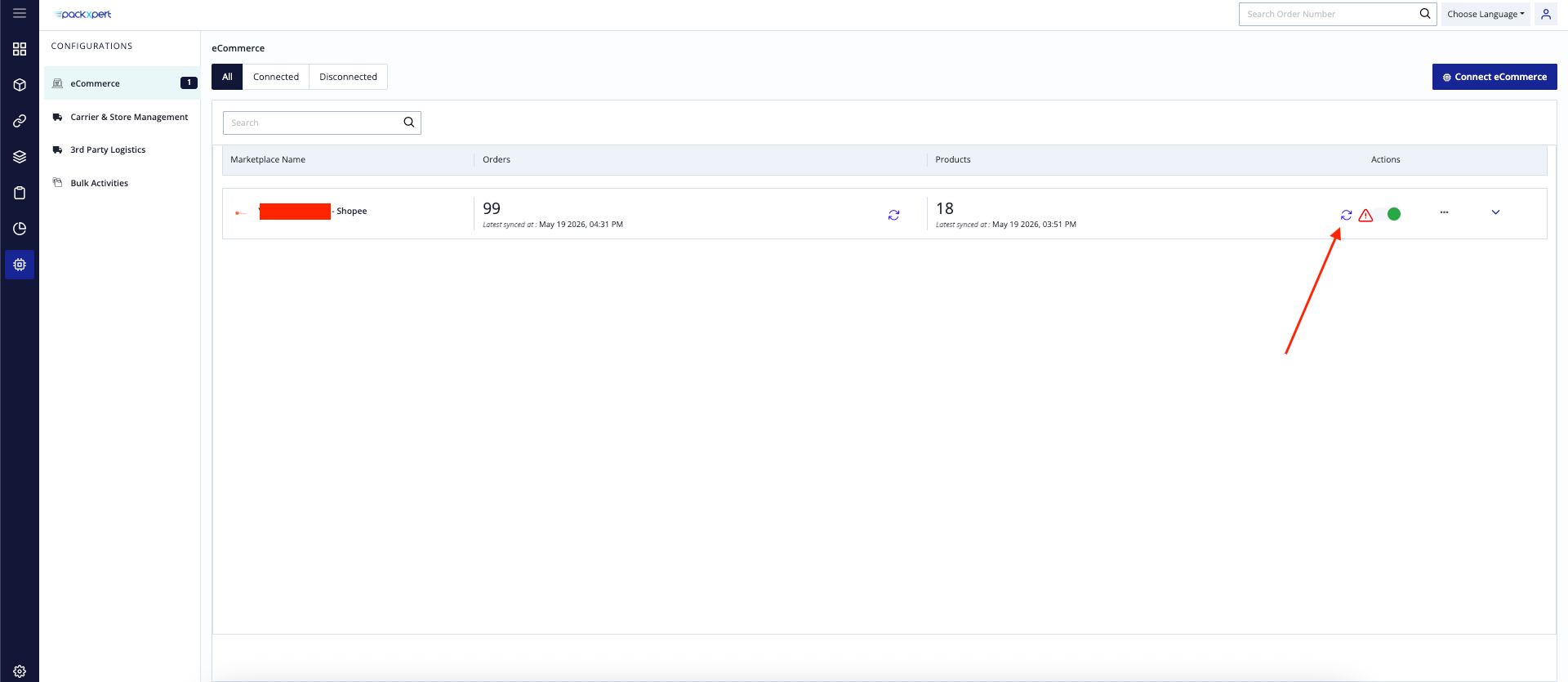
Go back to the Configurations tab.
Under the connected Shopee store, click the Sync icon under Products.
Was this article helpful?
That’s Great!
Thank you for your feedback
Sorry! We couldn't be helpful
Thank you for your feedback
Feedback sent
We appreciate your effort and will try to fix the article