Step 1
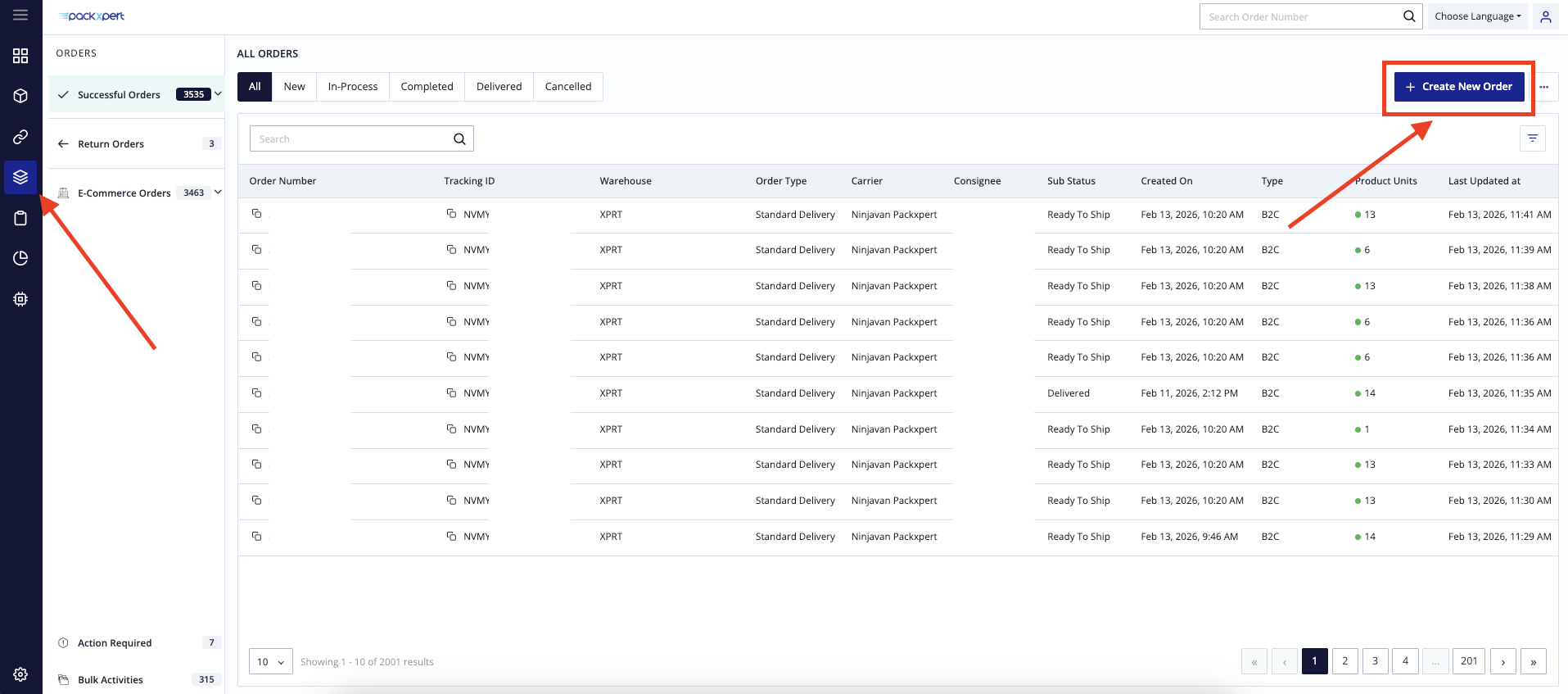
Login into OXM, go [Orders] tab, then click [ Create New Order ].
Step 2
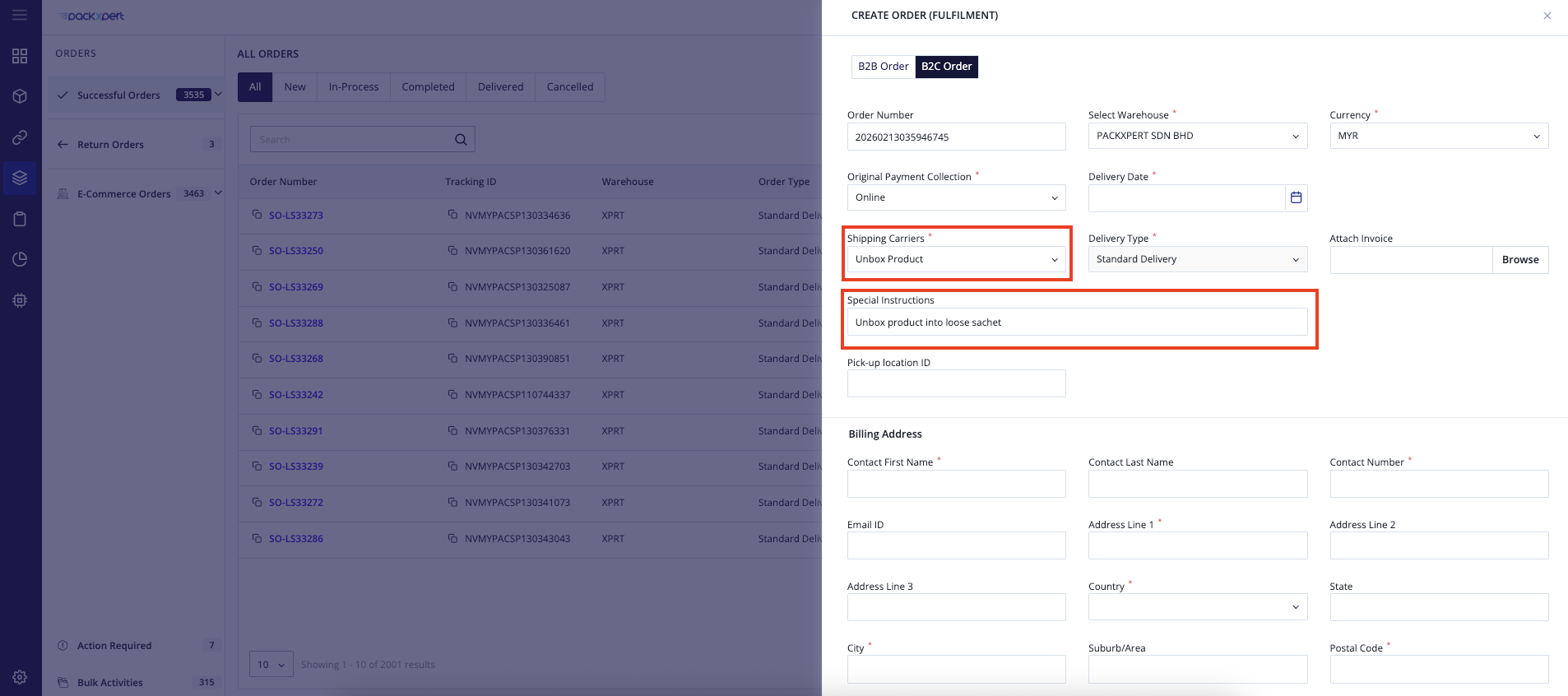
Shipping Carriers select [ Unbox Product ].
Special Instruactions
Remark : Unbox product into loose sachet
Then fill up all the required billing and shipping details.
Step 3
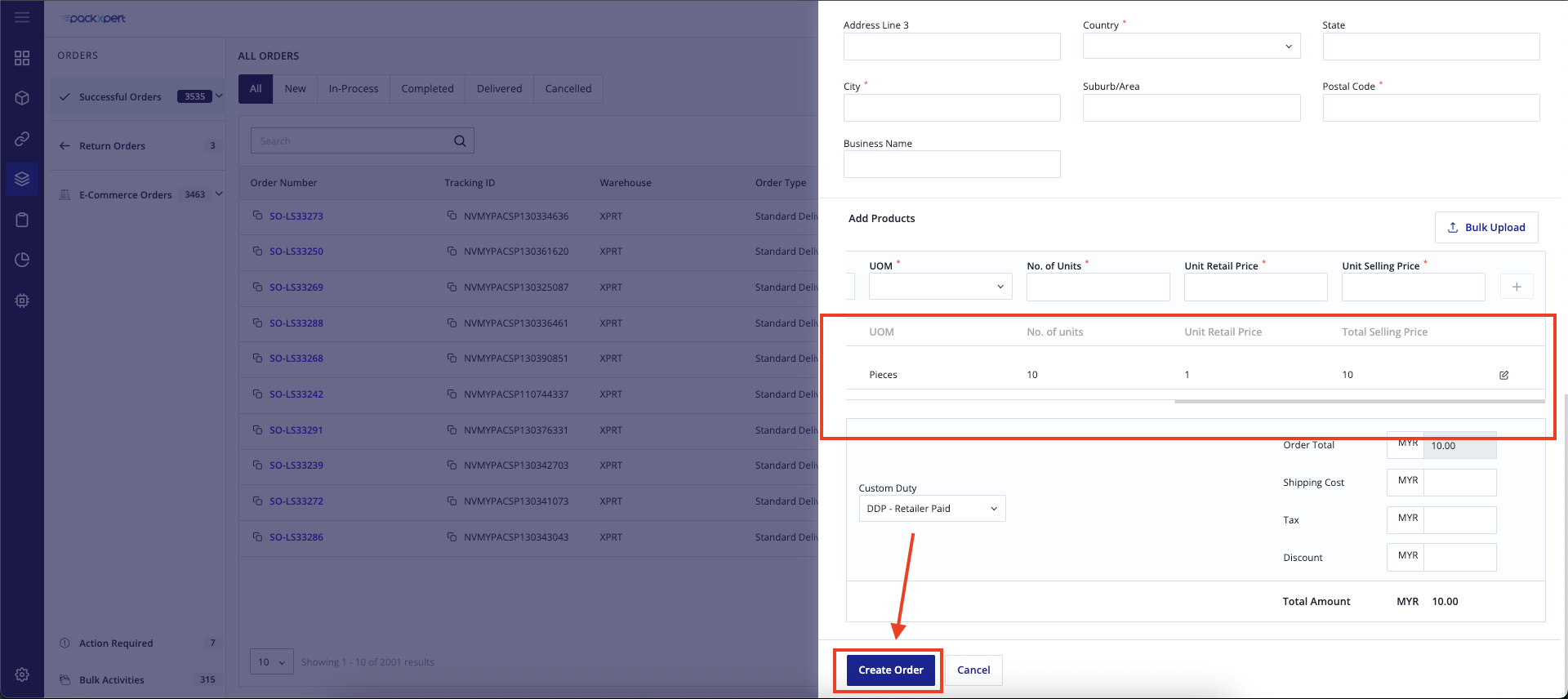
Please add the product that you would like to unbox and convert into loose sachets.
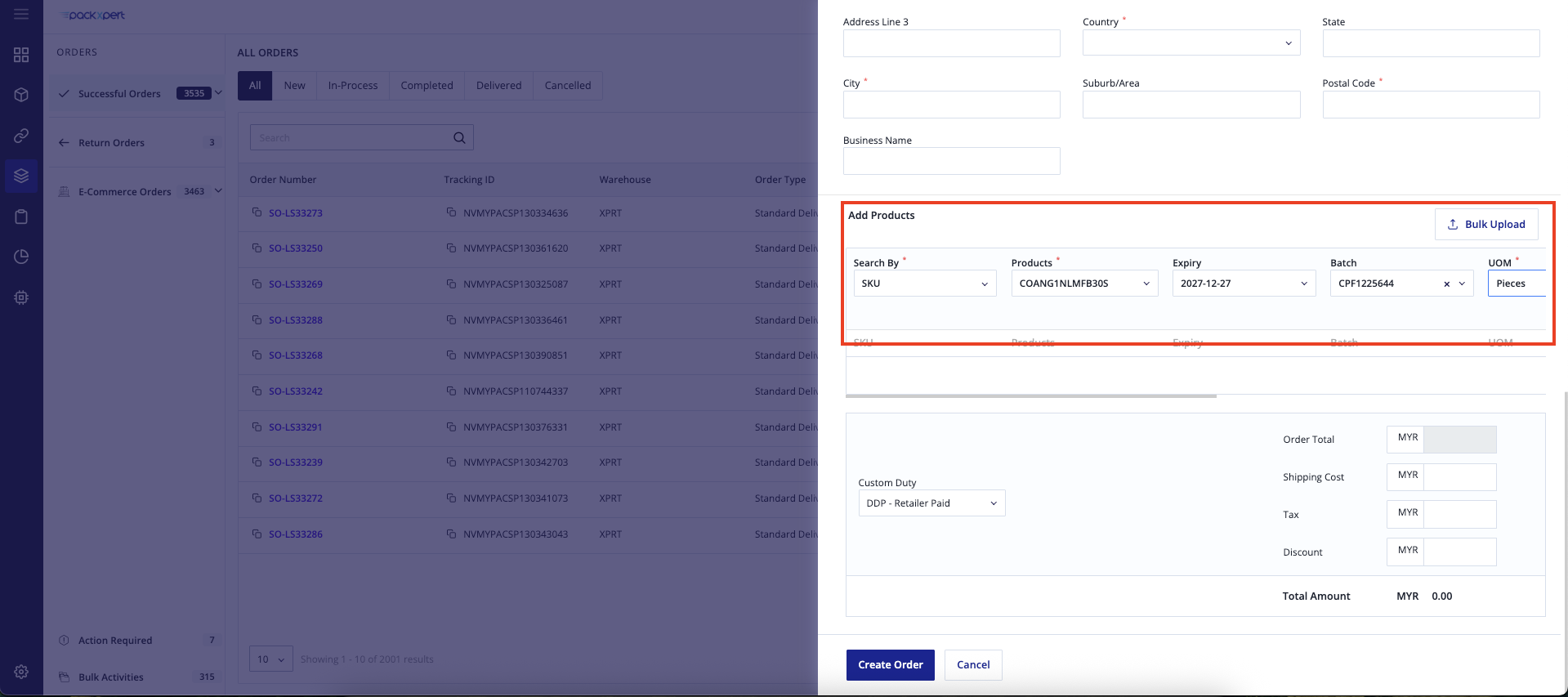
After selecting the SKU details, please click the “+” icon on the right-hand side.
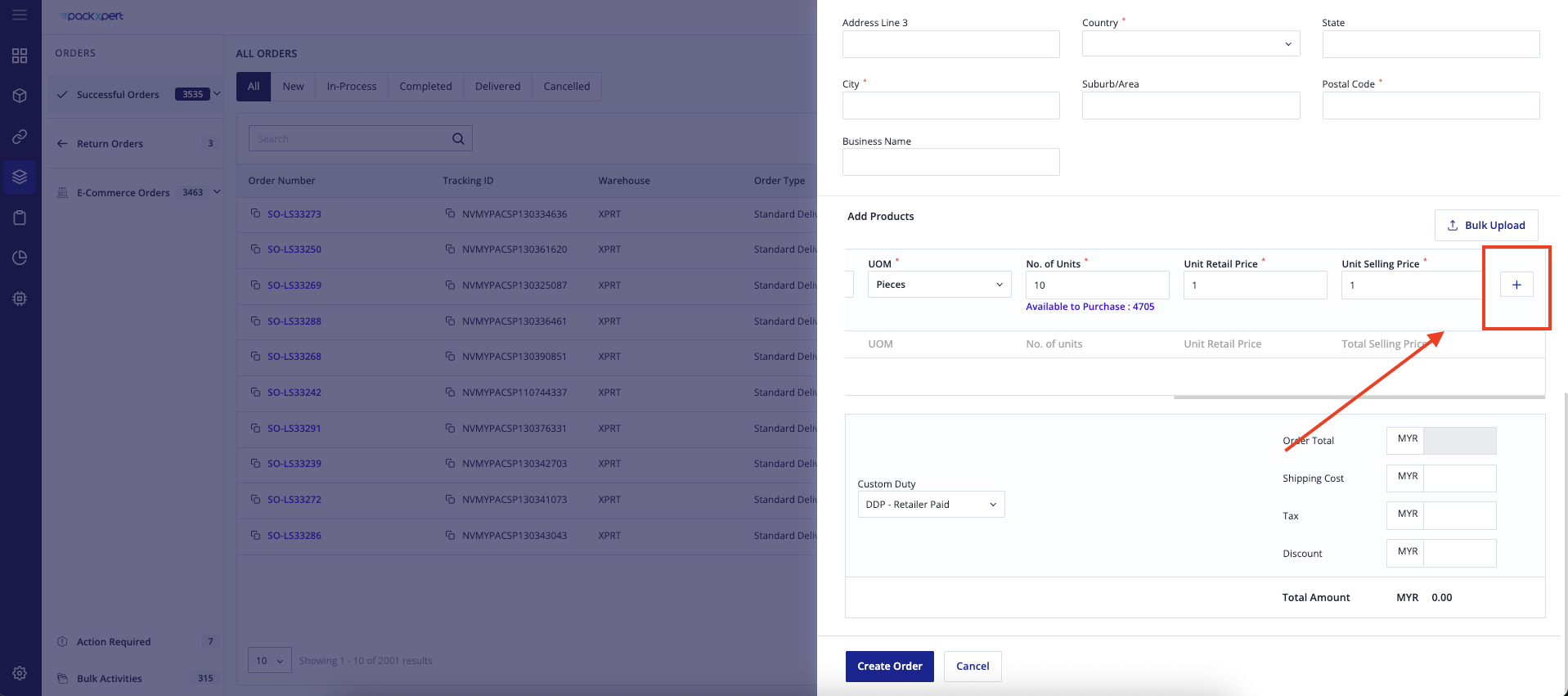
Please make sure the product has been successfully added, then click “Create Order”.
Step 4
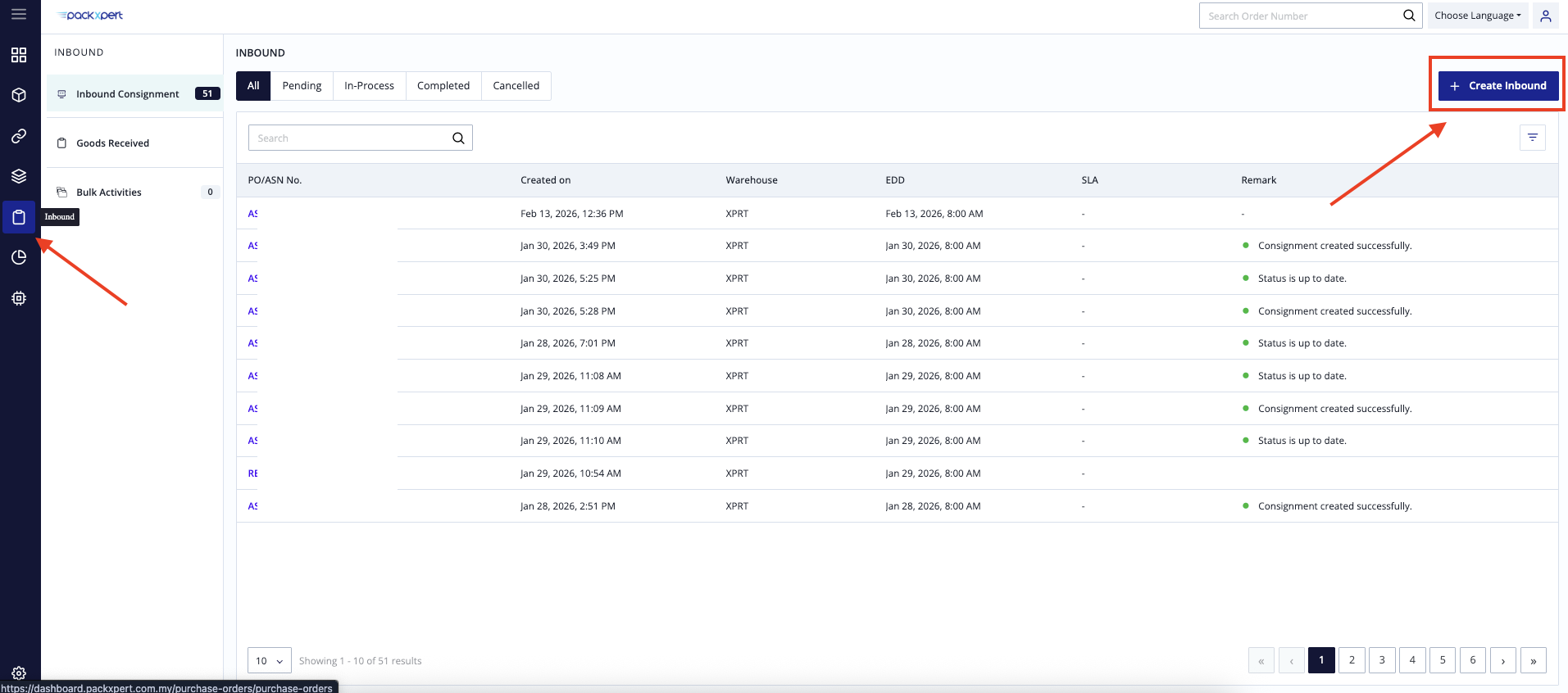
Go to [Inbound] tab, then click [ Create Inbound ].
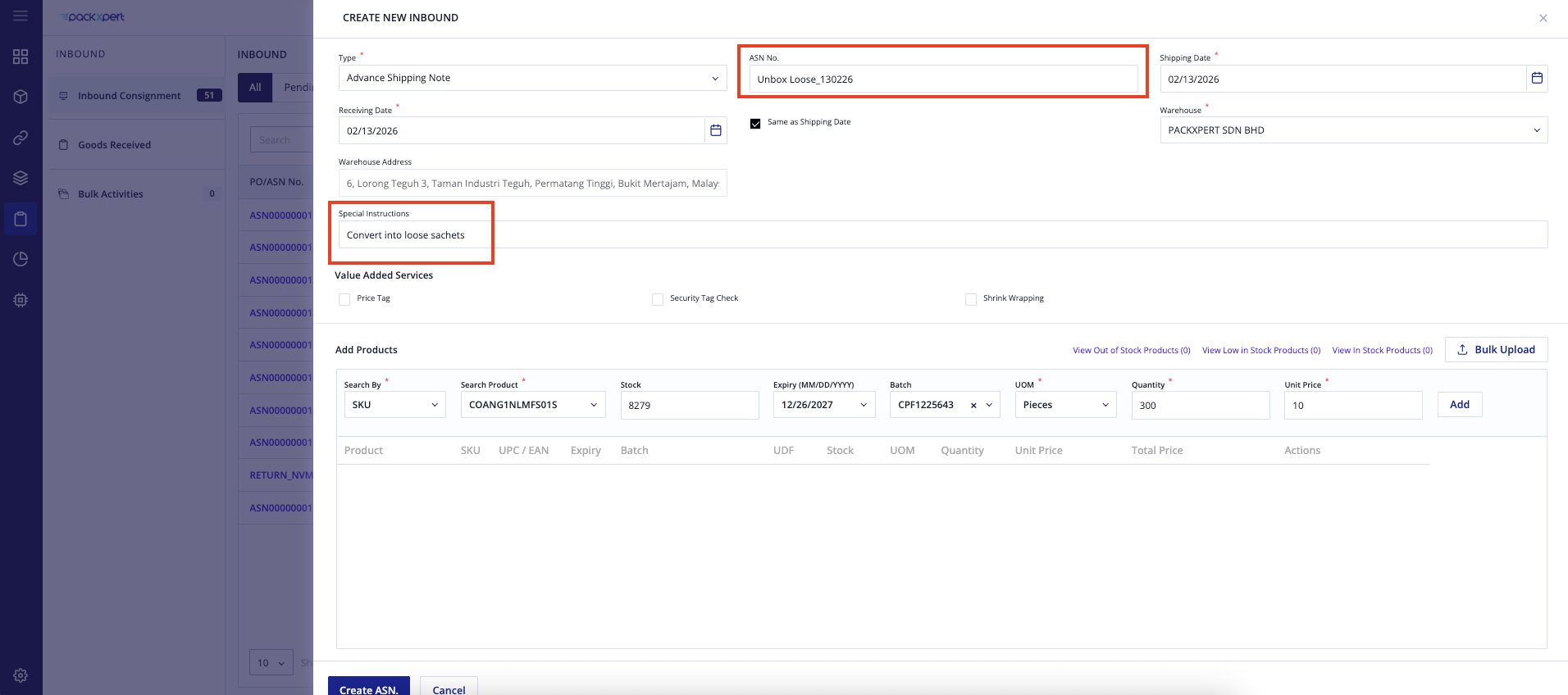
Create an inbound / ASN for the converted SKU.
ASN Naming Convention
For ASN naming, please follow the template below:
- For conversion to Loose Sachets
Unbox Loose_Order ID
- For conversion to Prepack 5s
Unbox Prepack_Order ID
The important point is to ensure that the ASN name is clear, accurate, and informative for identification purposes. This helps facilitate cross-checking between the ASN and the corresponding Order ID, reducing the risk of confusion and improving inventory tracking accuracy.
Select today’s date for both the Shipping Date and Receiving Date.
Please add a remark in the Special Instruction column for the request.
for example: Convert into loose sachets or Unbox and prepack into 5 sachets per pack.
Step 5
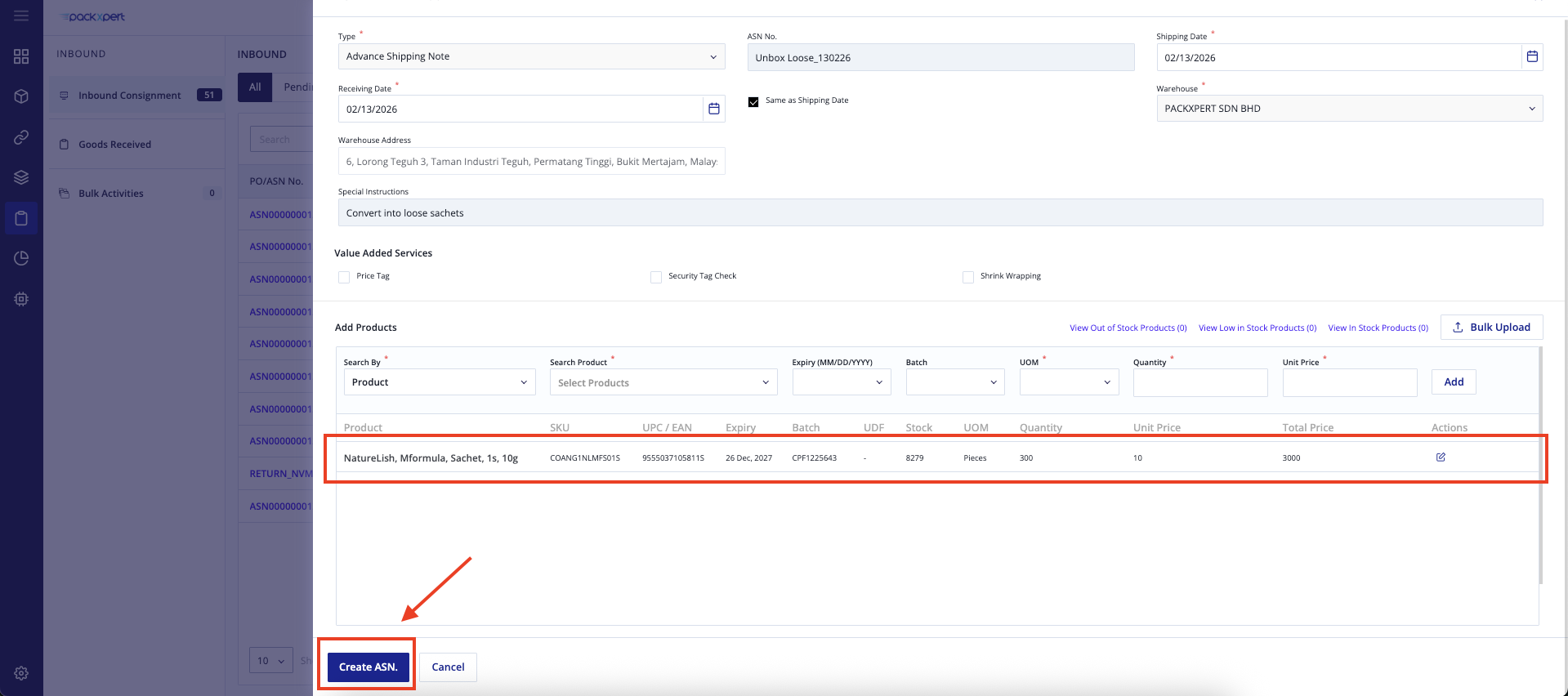
Then, fill up the SKU details and click [Add]
Please make sure the product has been successfully added, then click “Create ASN”.
Important! ⚠️
If you want to convert into loose sachets, please select the loose sachets SKU.
If you want to convert into Prepack 5s, please select the Prepack 5s SKU.
We will inbound based on the SKU keyed in. If prepacking is required, Packxpert will arrange the prepacking accordingly.
Recommended Practice
It is recommended to perform unboxing and prepacking activities once per month, preferably at the end of each month.
Important Note
Please note that you should not create the order only when the loose sachet product is already out of stock. Kindly create it before it runs out of stock to ensure smooth operations, as the entire process requires some time.
Should you encounter any issues during the process, please feel free to reach out to Packxpert Customer Support for assistance.
Was this article helpful?
That’s Great!
Thank you for your feedback
Sorry! We couldn't be helpful
Thank you for your feedback
Feedback sent
We appreciate your effort and will try to fix the article